
Kia EV2: Electric vehicle guide / EV menu
To easily access the dedicated EV menu and monitor your vehicle's power management features, simply tap the EV menu icon directly on the main infotainment system home screen of your Kia EV2.
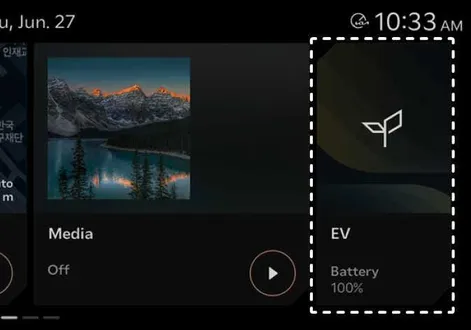
|
TIP
Infotainment system layouts, graphics, and menu structures may change following official software updates. For the most up-to-date operating instructions, consult the comprehensive digital manual built into your infotainment system or refer to your quick reference guide.
- EV mode screen
- Energy information
- Energy consumption history
- Nearby charging stations
- Next departure. Departure time
- Charging and climate
- Vehicle to load (V2L)
- EV settings
 Main electric vehicle components
OBC (Onboard charger): Transforms and rectifies incoming alternating current (AC) charging power into direct current (DC) power required to safely charge the high-voltage battery of your Kia EV2...

Other information:
Chevrolet Silverado 2019-2026 Owners Manual: Driver Information Center (DIC) (Base Level)
The DIC displays are shown in the center of the instrument cluster. The displays show the status of many vehicle systems. The trip odometer reset stem in the instrument cluster is used to access the DIC menu items. If the vehicle has a diesel engine, see the Duramax diesel supplement for more information...
Kia EV2 (QV1, 2026-2026) Owner's Manual: Washer fluid. Checking the washer fluid level
Checking the washer fluid level The windshield washer fluid reservoir on your Kia EV2 is molded from translucent material so you can conveniently check the remaining fluid level with a quick visual inspection. Location and visual check of the windscreen washer fluid container on the Kia EV2...
Categories
- Manuals Home
- 4th Generation Silverado Owners Manual
- 4th Generation Silverado Service Manual
- Instrument Panel Fuse Block (Right)
- Power Outlets
- Power Release Tailgate
- New on site
- Most important about car
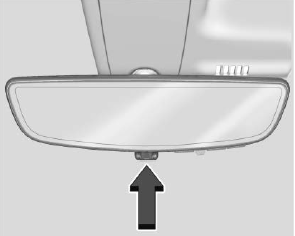
Rear Camera Mirror
If equipped, this automatic dimming mirror provides a wide angle camera view of the area behind the vehicle.

Copyright © 2026 www.chsilverado.com