
Kia EV2: EV menu / Energy consumption history
Kia EV2 (QV1, 2026-2026) Owner's Manual / Electric vehicle guide / EV menu / Energy consumption history
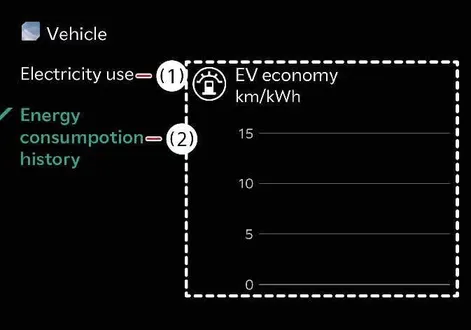
|
|
You can review your Kia EV2 vehicle's comprehensive energy consumption history, tracking metrics such as previous trip dates, driving distances, and average efficiency over time. A special icon highlights your most efficient energy economy record achieved within the vehicle's driving history.
 Energy information
To quickly check your Kia EV2 vehicle's exact battery charge level, remaining range, and live power status, simply tap the interactive vehicle graphic displayed on the central infotainment system screen...
 Nearby charging stations
To effortlessly search for nearby charging stations along your path, simply tap the dedicated map icon on the central infotainment system screen of your Kia EV2...
Other information:
Kia EV2 (QV1, 2026-2026) Owner's Manual: Rear View Monitor settings
Warning Methods Driver Assistance Warning Methods To change the Warning Methods settings whilst your Kia EV2 is powered ON, tap Setup > Vehicle > Driver Assistance > Warning Methods on the central infotainment system touchscreen interface...
Kia EV2 (QV1, 2026-2026) Owner's Manual: High Beam Assist (HBA)
Figure 1. Type A Figure 2. Type B Figure 3...
Categories
- Manuals Home
- 4th Generation Silverado Owners Manual
- 4th Generation Silverado Service Manual
- Driver Information Center (DIC) (Midlevel and Uplevel)
- Jump Starting
- Maintenance Schedule
- New on site
- Most important about car
Passenger Sensing System
The vehicle has a passenger sensing system for the front outboard passenger position. The passenger airbag status indicator will light on the overhead console when the vehicle is started.
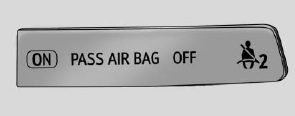
United States
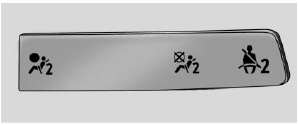
Canada

Copyright © 2026 www.chsilverado.com