
Chevrolet Silverado: Driving and Operating / Driver Assistance Systems
Chevrolet Silverado 2019-2026 Owners Manual / Driving and Operating / Driver Assistance Systems
- Driver Assistance Systems
- Assistance Systems for Parking or Backing
- Forward Collision Alert (FCA) System
- Automatic Emergency Braking (AEB)
- Front Pedestrian Braking (FPB) System (1500 Series)
- Side Blind Zone Alert (SBZA)
- Lane Change Alert (LCA) (1500 Series)
- Lane Departure Warning (LDW) (2500/3500 Series)
- Lane Keep Assist (LKA) (1500 Series)
 Adaptive Cruise Control (1500 Series)
If equipped, Adaptive Cruise Control (ACC) allows the cruise control set speed
and following gap to be selected. Read this entire section before using this system...
 Driver Assistance Systems
This vehicle may have features that work together to help avoid crashes or reduce
crash damage while driving, backing, and parking. Read this entire section before
using these systems...
Other information:
Kia EV2 (QV1, 2026-2026) Owner's Manual: Remote Smart Parking button
Parking/View button Smart key Digital key: (if equipped) Location Name Symbol Description Inside vehicle Parking/View button Press and hold the Parking/View button to turn on Remote Smart Parking Assist in your Kia EV2...
Kia EV2 (QV1, 2026-2026) Owner's Manual: Horn
Firmly press the designated pad marked with the horn icon located in the center hub of your steering wheel to sound the horn of your Kia EV2. The horn will only sound when pressure is applied directly to this central switch area...
Categories
- Manuals Home
- 4th Generation Silverado Owners Manual
- 4th Generation Silverado Service Manual
- Electric Parking Brake
- Jump Starting
- Steering Column Lock
- New on site
- Most important about car
Child Restraint Systems
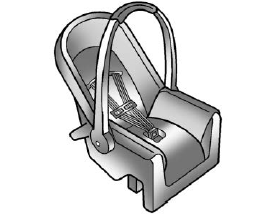
Rear-Facing Infant Restraint
A rear-facing child restraint provides restraint with the seating surface against the back of the infant.

Copyright © 2026 www.chsilverado.com