Kia EV2: Smart regeneration system / Smart regeneration system operation
|
|
-
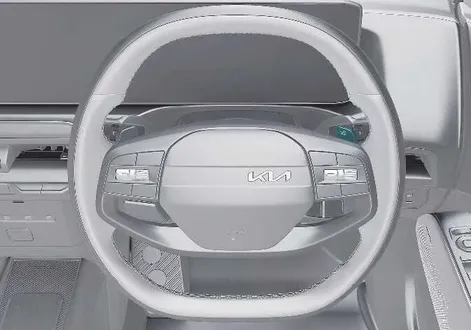
Pull and hold the right side (
 ) of the paddle shifter for approximately more than 1 second to activate smart regeneration system. (
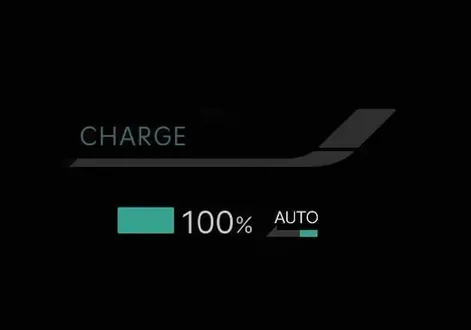
  ) indicator will appear on the instrument cluster.
 -
Pull and hold the right side (
 ) of the paddle shifter again for approximately more than 1 second to deactivate smart regeneration system. (
  ) indicator will disappear on the instrument cluster.
TIP
Smart regeneration system will automatically deactivate when:
-
You shift to P (Park), R (Reverse), or N (Neutral).
-
Cruise Control (CC) or Smart Cruise Control (SCC) is operating.
-
Electronic Stability Control (ESC) or the Anti-lock Brake System (ABS) is operating.
-
DRIVE MODE is in SNOW mode.
Operating conditions
-
The road gradient changes
-
The distance from the vehicle ahead increases or decreases
-
The speed of the vehicle ahead increases or decreases
-
Taking a left or right turn in the crossroads
-
Approaching a roundabout
Non-operating conditions
-
You shift to P (Park), R (Reverse), or N (Neutral).
-
Cruise Control (CC) or Smart Cruise Control (SCC) is operating.
-
Electronic Stability Control (ESC) or the Anti-lock Brake System (ABS) is operating.
WARNING
-
Smart regeneration system, which automatically controls regenerative braking during coasting, is a supplemental system for driver convenience in your Kia EV2.
-
Do not rely solely on this system to stop the vehicle. The system cannot fully stop the vehicle in all situations or prevent all collisions.
-
Braking may be insufficient if a vehicle ahead stops suddenly, cuts in unexpectedly, or when driving on steep slopes.
-
Always remain alert and observe road conditions to prevent unexpected situations.
-
When the smart regeneration system automatically cancels, adjust your speed by using the accelerator or brake pedal according to road conditions.
NOTE
-
If the front radar does not detect a vehicle ahead, the (
 ) indicator appears in white.
 -
If a vehicle ahead is detected, the (
 ) indicator appears in blue. In this case, the vehicle decelerates automatically based on the distance and speed of the vehicle ahead, and the regenerative braking level is displayed with an arrow symbol.
 -
If the brake pedal is pressed whilst the system is active, the current regenerative braking level is maintained. If the accelerator pedal is pressed, the system is temporarily deactivated.
-
The infotainment system may change after a software update. For more details, refer to the user’s manual in the infotainment system or the quick reference guide.
 Smart regeneration system settings
Electric Vehicle
Smart Regeneration
Tap Electric Vehicle > > Smart Regeneration > Link to Navigation Route from the infotainment system to configure your preferences...
 Smart regeneration system malfunction and limitations
Smart regeneration system malfunction
Check smart recuperation system
The following message will appear when the smart regeneration system in your Kia EV2 is not functioning normally during everyday driving operations...
Other information:
Kia EV2 (QV1, 2026-2026) Owner's Manual: Smart key. Mechanical key
Modern vehicle engineering places convenience right at your fingertips, and the advanced smart key system designed for the Kia EV2 allows you to seamlessly lock or unlock your doors and initiate vehicle power systems without ever needing to physically insert a traditional mechanical key into a cylinder...
Kia EV2 (QV1, 2026-2026) Owner's Manual: Theft-alarm system
The advanced theft-alarm system provides comprehensive protection from unauthorised entry into your Kia EV2, safeguarding your vehicle and personal belongings wherever you park. To ensure maximum security and intuitive operation, this sophisticated perimeter protection system functions seamlessly across 3 distinct operational stages: Armed stage Disarmed stage Theft-alarm stage If an intrusion attempt is detected while the system is fully active, the theft-alarm sounds continuously and the exterior hazard warning lights blink to alert bystanders...
Categories
- Manuals Home
- 4th Generation Silverado Owners Manual
- 4th Generation Silverado Service Manual
- Instrument Panel Fuse Block (Left)
- Jump Starting
- E85 or FlexFuel
- New on site
- Most important about car
Windows
Warning
Never leave a child, a helpless adult, or a pet alone in a vehicle, especially with the windows closed in warm or hot weather. They can be overcome by the extreme heat and suffer permanent injuries or even death from heat stroke.