
Kia EV2: Smart regeneration system / Smart regeneration system malfunction and limitations
Smart regeneration system malfunction
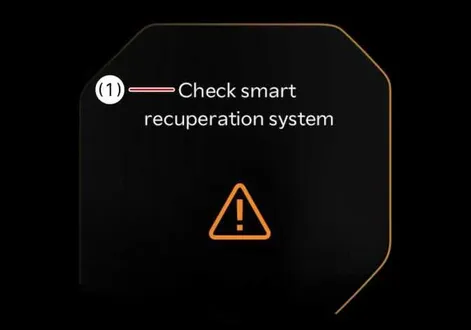
|
|
The following message will appear when the smart regeneration system in your Kia EV2 is not functioning normally during everyday driving operations.
The system will be cancelled and (  ) on the instrument cluster will disappear and instead display regenerative braking level.
Check for foreign substances on the front radar. Remove any dirt, snow, or debris that could interfere with the radar sensors.
If the system still does not operate normally, have your vehicle inspected by a professional workshop. Kia recommends visiting an authorised Kia dealer or service partner.
Limitations of smart regeneration system
|
Limitations of smart regeneration system |
|
|---|---|
|
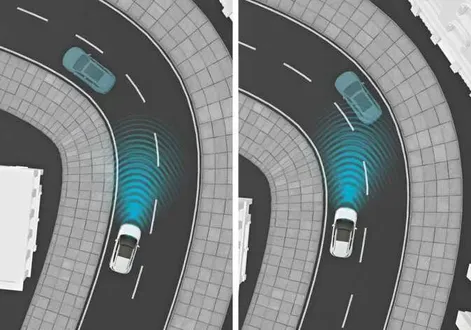
When driving on the curve, the smart regeneration system in the Kia EV2 may not detect the vehicle in your lane and the regenerative braking level will reduce automatically, making you feel that the vehicle is accelerating. Also, if the system suddenly recognises the vehicle in front, the regenerative braking level will increase automatically, making you feel that the vehicle is decelerating. The driver must maintain a safe braking distance, and if necessary, depress the brake pedal to reduce your driving speed in order to maintain a safe distance. The smart regeneration system may recognise a vehicle in an adjacent lane when driving on a curved road. In this case, the system increases the braking level and slow the vehicle. Always pay attention to road and driving conditions whilst driving your Kia EV2. If necessary, depress the brake pedal to reduce your driving speed in order to maintain a safe distance. Also, when necessary, you may depress the accelerator pedal to prevent the system from unnecessarily decelerating your vehicle. Always check the traffic conditions around the vehicle. |
|
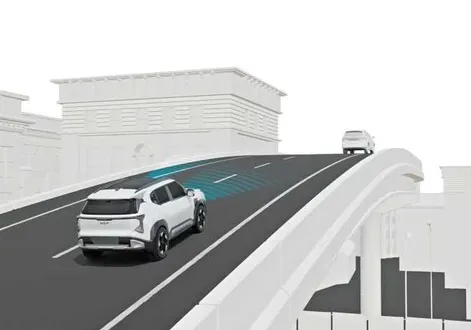
When driving on an uphill or downhill, the system may not detect the vehicle in your lane and the regenerative braking level will reduce automatically, making you feel that the vehicle is accelerating. Also, if the system suddenly recognises the vehicle in front, the regenerative braking level will increase automatically, making you feel that the vehicle is decelerating. The driver must maintain a safe braking distance, and if necessary, depress the brake pedal to reduce your driving speed in order to maintain a safe distance. |
|
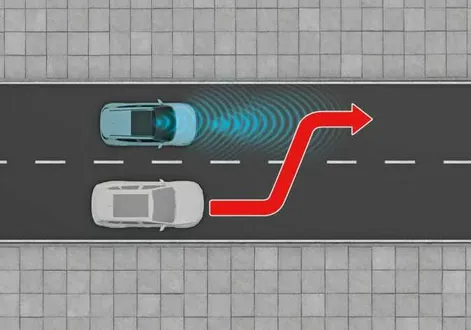
When a vehicle changes lanes in front of you, the smart regeneration system may not immediately detect the vehicle, especially if the vehicle changes lanes abruptly. In this case, you must maintain a safe braking distance, and if necessary, depress the brake pedal to reduce your driving speed in order to maintain a safe distance. |
|
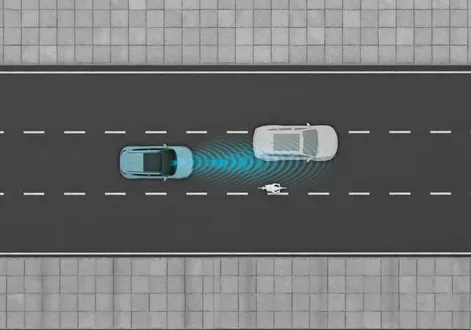
Some vehicles in your lane cannot be recognised by the sensor:
A vehicle ahead cannot be recognised correctly by the sensor if any of following occurs:
Apply the brake or accelerator pedal if necessary. |
WARNING
When using smart regeneration system, take the following precautions:
-
In an emergency, always apply the brakes to stop the vehicle.
-
Maintain a safe distance from the vehicle ahead, considering road conditions and vehicle speed. A short following distance at high speed may lead to a serious collision.
-
Always keep sufficient braking distance and decelerate by applying the brake pedal when necessary.
-
Smart regeneration system uses radar signals to detect and monitor vehicles ahead. It is not designed to detect oncoming vehicles, pedestrians, bicycles, motorcycles, or small wheeled objects such as luggage bags, shopping carts, or strollers.
-
The system may experience delays in response to vehicles that change lanes frequently or may respond to vehicles in adjacent lanes. Always drive attentively and be prepared for unexpected situations.
-
Smart regeneration system may not recognise complex driving scenarios. Continuously monitor road conditions and adjust your vehicle’s speed as needed.
NOTE
Smart regeneration system may not operate temporarily due to:
-
Electrical interference
-
Modification of the suspension
-
Differences in tyre wear or pressure
-
Installation of different type of tyres
 Smart regeneration system operation
Pull and hold the right side ( ) of the paddle shifter for approximately more than 1 second to activate smart regeneration system...
 Brake system
Your Kia EV2 is equipped with advanced power-assisted brakes, an electronic parking brake, and a comprehensive suite of active braking systems designed to ensure maximum safety, precision, and confidence during everyday driving...
Other information:
Chevrolet Silverado 2019-2026 Owners Manual: Trailer
Trailer Tire Pressure/Temperature Mileage of Trailer Mileage The mileage accumulated while this Trailer Profile is active will display. Touch mileage to edit. Tire Pressure and Temperature If the TTPMS sensor-to-vehicle learn process was completed, the status view will display the current tire pressure and temperature of the trailer tires related to the active Trailer Profile...
Chevrolet Silverado 2019-2026 Owners Manual: Forward Collision Alert (FCA) System
If equipped, the FCA system may help to avoid or reduce the harm caused by front-end crashes. When approaching a vehicle ahead too quickly, FCA provides a red flashing alert on the windshield and rapidly beeps or pulses the driver seat. FCA also lights an amber visual alert if following another vehicle much too closely...
Categories
- Manuals Home
- 4th Generation Silverado Owners Manual
- 4th Generation Silverado Service Manual
- Maintenance Schedule
- Programming Transmitters to the Vehicle
- Power Release Tailgate
- New on site
- Most important about car
Vehicle Alarm System
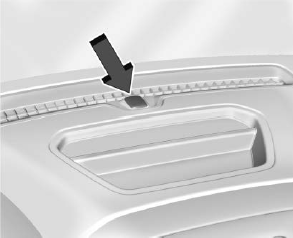
The indicator light, on the instrument panel near the windshield, indicates the status of the system.
