Kia EV2: Driving your vehicle / Shift lever
Electric vehicles transmit the rotation of the motor to the wheel through the reducer.
Shift lever operation
|
|
-
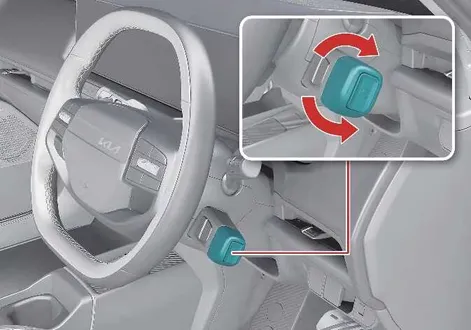
Select the gear position by turning the shift lever.
For your safety, always engage the brake pedal whilst shifting to another gear.
-
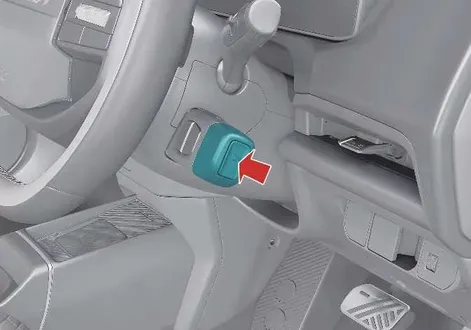
Press P button to shift to P (Park).
Shift lever position
The clear digital indicator on your instrument cluster displays the exact active shift lever position whenever your Kia EV2 is in the POWER ON position, ensuring complete control.

|
NOTE
-
Always engage the brake pedal whilst shifting from one gear position to another.
-
You cannot shift the vehicle whilst the charging cable is connected.
P (Park)
-
Always come to a complete stop before shifting to P (Park).
-
To shift from R (Reverse), N (Neutral) or D (Drive) to P (Park), press the P button.
-
The vehicle automatically shifts to P (Park) when:
-
The driver side door is open whilst the vehicle is in R (Reverse), N (Neutral), or D (Drive) and the vehicle is in the POWER ON position.
-
The vehicle is OFF whilst the vehicle is in R (Reverse), N (Neutral), or D (Drive).
-
-
The vehicle does not automatically shift to P (Park) when the vehicle is above a certain speed.
WARNING
-
Shifting to P (Park) whilst the vehicle is in motion might cause a loss of control of your vehicle.
-
After you stop the vehicle, always make sure the vehicle is in P (Park), apply the parking brake, and turn the vehicle OFF.
-
Do not shift to P (Park) in place of applying the parking brake.
-
With the DRIVE READY indicator on, the vehicle will automatically shift to P (Park) if you open the driver's door when the vehicle is in R (Reverse), N (Neutral), D (Drive) and the following conditions are met:
-
The brake or accelerator pedal is not depressed.
-
The seat belt is unfastened.
-
The vehicle speed is below 2 km/h (1 mph).
-
-
When the vehicle is over a certain speed, the vehicle will not shift to P (Park) when the P button is pressed.
R (Reverse)
Turn the shift lever to R (Reverse) position whilst depressing the brake pedal to shift to R (Reverse) smoothly in your Kia EV2.
CAUTION
Always come to a complete stop before shifting to or from R (Reverse). You might damage the power electric system if you shift to R (Reverse) whilst the vehicle is in motion except for when you are following the “Rocking the vehicle” procedure (refer to Special driving conditions).
N (Neutral)
-
Turn the shift lever slightly up or down whilst depressing the brake pedal to shift to N (Neutral).
-
Always depress the brake pedal when you are shifting from N (Neutral) to another gear position.
-
In N (Neutral), if the driver attempts to turn off the vehicle, the vehicle will turn off and shift to P (Park) automatically.
WARNING
-
Before leaving the driver’s seat, always make sure to shift to P (Park), fully apply the parking brake, and turn the vehicle off. The vehicle might move suddenly and unexpectedly if you do not take these precautions.
-
When you park the vehicle, make sure you apply the Electronic Parking Brake (EPB) even when the vehicle is in P (Park).
-
If your vehicle is equipped with an EPB, the parking brake is applied automatically when you shift to P (Park).
D (Drive)
-
Turn the shift lever to D (Drive) position whilst depressing the brake pedal to shift to D (Drive) for everyday journeys in your Kia EV2.
-
In D (Drive), if the driver attempts to turn off the vehicle, the vehicle is turned off and shifted to the P (Park) position automatically.
WARNING
-
ALWAYS check the areas surrounding your vehicle for people, especially children, before you shift the gear to D (Drive) or R (Reverse).
Shift lock system
The shift lock system prevents you from shifting from P (Park) to N (Neutral), R (Reverse), or D (Drive), or from N (Neutral) to R (Reverse) or D (Drive), unless the brake pedal is engaged.
To shift from P (Park) or N (Neutral) into R (Reverse) or D (Drive), from R (Reverse) into D (Drive) or from D (Drive) into R (Reverse):
-
Depress and hold the brake pedal.
-
Start the vehicle.
-
Shift to R (Reverse) or D (Drive).
NOTE
If Disable i-PEDAL when Reversing is not selected, shifting between D (Drive) and R (Reverse) at low speeds is possible without pressing the brake pedal.
When the 12V battery is discharged
You cannot shift when the 12V battery is discharged.
In an emergency, follow the steps below to shift to N (Neutral) on level ground:
-
Connect battery cables from another vehicle or external battery to the jump-starting terminals in the motor room compartment.
For more details, refer to Emergency starting.
-
With the vehicle in POWER ON position, release the parking brake.
-
Shift to N (Neutral).
Instrument cluster display for warning message
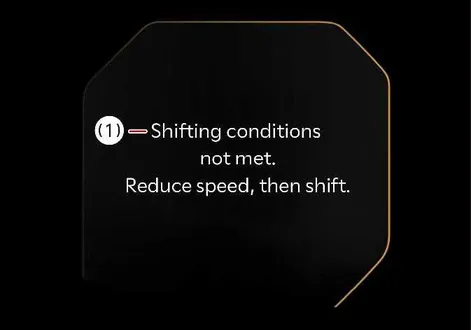
The instrument cluster displays each of the following warning messages when applicable to help you safely operate your Kia EV2:
|
Message |
Description |
|---|---|
|
|
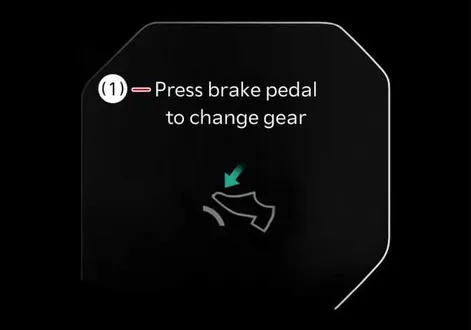
|
You do not engage the brake pedal whilst shifting the gear. |
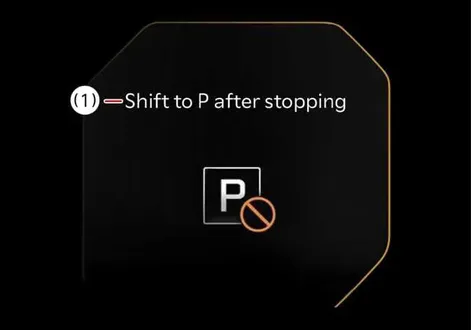
|
You shift to P (Park) whilst the vehicle is moving. |

|
You press the selected gear button again. |
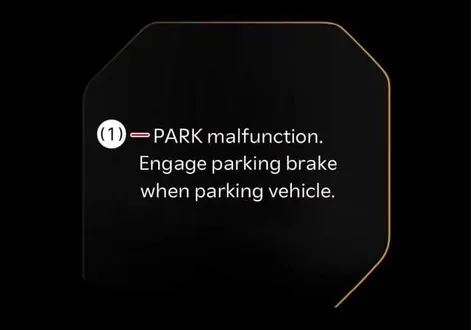
|
There is a problem with the function shifting to P (Park). |
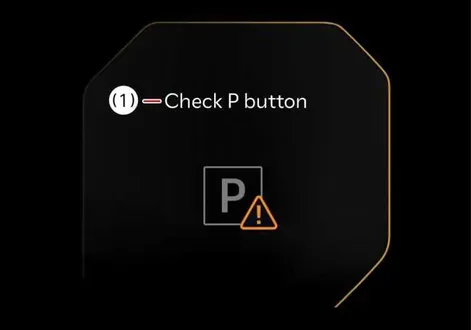
|
There is problem with the P button. |
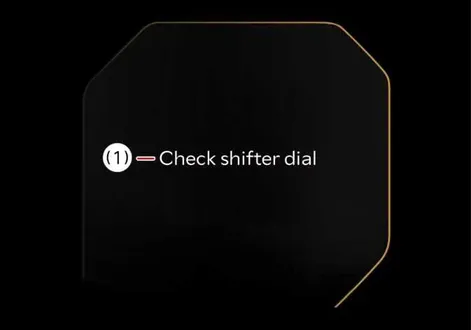
|
There is problem with the shift lever. |

|
The shift lever is continuously stuck or has another problem. |
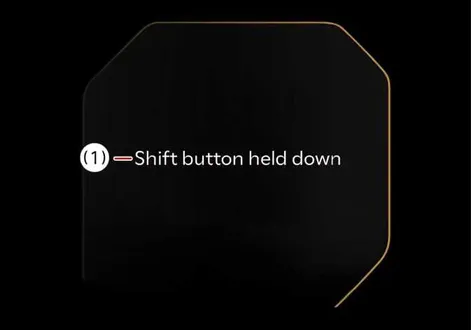
|
The shift button is stuck. |
CAUTION
If any warning message on the instrument cluster continues to blink, have your vehicle inspected by a professional workshop. Kia recommends visiting an authorised Kia dealer or service partner.
Good driving practices
-
Never shift from P (Park) or N (Neutral) to any other position with the accelerator pedal engaged.
-
Never shift into P (Park) whilst the vehicle is in motion.
-
Be sure you have completely stopped the vehicle before you attempt to shift to R (Reverse) or D (Drive).
-
Never shift the vehicle in N (Neutral) and coast down a hill. This may be extremely hazardous. Always leave the vehicle in D (Drive) whilst moving.
-
Do not "ride" the brakes. This can cause them to overheat and malfunction. Instead, when you are driving down a long hill, slow down. When you do this, vehicle braking will help slow down the vehicle.
-
When driving downhill, slow down and use the regenerative braking system to help decelerate the vehicle.
-
Reduce speed when driving in crosswinds to maintain better vehicle control.
-
Exercise extreme caution when driving on a slippery surface. Be especially careful when braking, accelerating, or shifting gears. On a slippery surface, an abrupt change in the vehicle’s speed can cause the drive wheels to lose traction, resulting in a loss of control over the vehicle.
-
Smoothly engage and release the accelerator pedal for optimal vehicle performance and efficiency.
-
Always apply the parking brake. Do not depend on shifting to P (Park) to keep the vehicle from moving.
WARNING
-
When driving uphill or downhill, always shift to D (Drive) for driving forward or R (Reverse) for driving backward. Check the gear position displayed on the instrument cluster before driving. Driving in the opposite direction of the selected gear position can put you in danger by turning off the vehicle and affecting the braking performance.
-
Always buckle up! In a collision, an unbelted occupant is significantly more likely to be seriously injured or killed than a properly belted occupant.
-
Avoid high speeds when turning.
-
Do not make quick steering wheel movements (such as sharp lane changes or fast, sharp turns).
-
Losing control of your vehicle at high speeds greatly increases the risk of a rollover.
-
Loss of control often occurs if two or more wheels drop off the road and you oversteer to reenter the road.
-
If your vehicle leaves the road, do not steer sharply. Instead, slow down before gradually reentering the travel lanes. Abruptly steering to reenter the road risks loss of control of the vehicle, serious injury, and death.
-
Never exceed posted speed limits.
-
If your vehicle becomes stuck in snow, mud, sand, and so on, then you may attempt to rock it free by moving it forward and backward. Do not attempt this procedure if people or objects are anywhere near the vehicle. The vehicle may suddenly move forward or backward as it becomes unstuck, causing injury or damage to nearby people or objects.
 EV button. Starting the vehicle
OFF
To completely shut down your Kia EV2 from a DRIVE READY or POWER ON state, bring the vehicle to a complete standstill, shift into P (Park), and press the EV button firmly while keeping your foot applied to the brake pedal...
 Regenerative braking system
The regenerative braking system allows you to charge the battery when you use the brakes to stop the vehicle.
Paddle shifter
Use the steering wheel paddle shifters in your Kia EV2 to dynamically adjust the regenerative braking level from 0 to 3 during deceleration, enhancing both driving comfort and energy recovery...
Other information:
Kia EV2 (QV1, 2026-2026) Owner's Manual: Forward Collision-Avoidance Assist settings
Forward Safety Driver Assistance Driving Safety Forward Safety Whilst the vehicle is ON, tap Setup > Vehicle > Driver Assistance > Driving Safety on the infotainment system screen to seamlessly adjust and manage the comprehensive Forward Collision-Avoidance Assist settings of your Kia EV2...
Kia EV2 (QV1, 2026-2026) Owner's Manual: Passenger's front air bag ON/OFF switch: (if equipped)
Operation Insert the mechanical emergency key securely into the designated passenger's front air bag ON/OFF switch slot...
Categories
- Manuals Home
- 4th Generation Silverado Owners Manual
- 4th Generation Silverado Service Manual
- Lower Anchors and Tethers for Children (LATCH System)
- Electric Parking Brake
- Power Release Tailgate
- New on site
- Most important about car
Rear Camera Mirror
If equipped, this automatic dimming mirror provides a wide angle camera view of the area behind the vehicle.