
Kia EV2: Forward Collision-Avoidance Assist (FCA) (Sensor Fusion) / Forward Collision-Avoidance Assist settings
Forward Safety
 |
|
Whilst the vehicle is ON, tap Setup > Vehicle > Driver Assistance > Driving Safety on the infotainment system screen to seamlessly adjust and manage the comprehensive Forward Collision-Avoidance Assist settings of your Kia EV2.
Forward Safety: Collision warnings or emergency braking interventions may operate proactively in a potential collision-imminent situation. If you choose to deselecting or turn off this setting, Forward safety will be disabled and the dedicated Forward Safety warning light ( ) will illuminate on the cluster display.
Forward Cross-Traffic Safety: (if equipped)
|
|
|
Whilst the vehicle is ON, tap Setup > Vehicle > Driver Assistance > Driving Safety > Forward Cross-Traffic Safety on the central infotainment system screen to customize the advanced Junction Crossing function settings tailored for your Kia EV2.
Forward/Side Safety: (if equipped)
 |
|
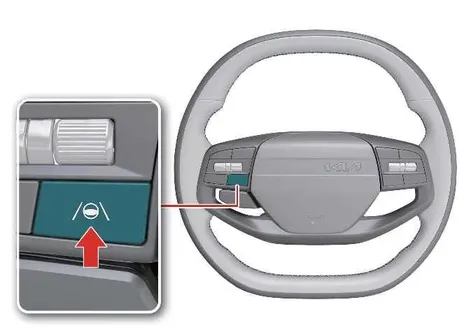
Whilst the vehicle is ON, tap Setup > Vehicle > Driver Assistance > Driving Safety > Forward/Side Safety on the infotainment system screen to precisely configure the Forward/Side Safety parameters.
Forward/Side Safety: Advanced collision warnings or responsive emergency steering assistance can actively support the driver during critical, collision-imminent situations. If you deselect this setting, Forward safety will turn off and the Emergency steering warning light ( ) will appear on the instrument cluster.
You can continuously monitor the Forward Collision-Avoidance Assist setting status directly on the Settings menu of the infotainment system screen. If the Forward Safety warning light ( ) or Emergency steering warning light (
 ) remains active and ON when Forward safety or Forward/Side safety is selected, have your vehicle thoroughly inspected by a professional workshop. Kia recommends visiting an authorised Kia dealer or service partner.
Automatic Activation
Forward Collision-Avoidance Assist (FCA) is designed to automatically activate under the following driving convenience conditions:
-
When both Lane Following Assist (LFA) and Smart Cruise Control (SCC) are actively turned on.
-
When Highway Driving Assist (HDA) is turned on.
When Forward Collision-Avoidance Assist (FCA) is automatically activated under the above conditions and you attempt to manually turn it off, an explanatory warning message will appear on the screen and the system will remain engaged for your safety.
TIP
Even when Forward safety is turned ON, it remains the driver’s sole responsibility to stay fully alert and maintain complete control of the vehicle at all times. However, if Forward safety is turned OFF, the system will be unable to provide automated safety assistance.
CAUTION
-
Forward Collision-Avoidance Assist automatically re-engages and turns on every time the vehicle is restarted. While stopped safely, you can turn off individual functions within the settings menu if desired; however, if you choose to do so, you will not receive proactive safety assistance from those deactivated Forward Collision-Avoidance Assist functions. Always drive with utmost caution.
-
Steering wheel vibration alerts can be easily toggled ON or OFF according to your personal preference.
-
Forward Safety settings include the "Basic," "Junction Turning," and "Direct Oncoming" core functions. Forward Cross-Traffic Safety includes the "Junction Crossing" function. Forward/Side Safety includes the "Lane Change Oncoming," "Lane Change Side," and "Evasive Steering Assist" functions: (if equipped)
-
If Forward Safety is set to OFF, even if Forward Cross-Traffic Safety and Forward/Side Safety options are selected, the "Junction Crossing" function will not operate: (if equipped)
-
When Forward Collision-Avoidance Assist (FCA) is automatically activated, it will remain operational even if general driving convenience features are turned off. To successfully turn off Forward Collision-Avoidance Assist (FCA), bring your vehicle to a complete stop, turn off the associated driving convenience features, and then attempt to deactivate the system.
WARNING
-
When towing a trailer or installing an external carrier, overall vehicle stability dynamics may be reduced. Disable the function if necessary and always drive safely with heightened caution.
-
Do not use the system when towing another vehicle or when installing aftermarket equipment that may adversely affect sensor calibration performance or vehicle weight balance. The system may fail to operate properly under such loads.
-
Forward Cross-Traffic Safety and Forward/Side Safety functions (if equipped) may not operate properly when a trailer, cargo carrier, or other specialized equipment is installed, or when towing another vehicle. Avoid using these active functions under such conditions.
-
When connecting a trailer or carrier, properly configure the trailer or carrier menu settings in your Kia EV2 (if equipped). If the driver manually sets up the menu or if the trailer connection is automatically recognized through genuine parts, certain functions of the driver assistance system may be limited. Please refer to the dedicated driver assistance system limitations guide and always drive with caution.
Forward Safety Warning Timing
|
|
|
Whilst your modern electric vehicle is ON, navigate through the intuitive infotainment display by tapping Setup > Vehicle > Driver Assistance > Driving Safety > Forward Safety Warning Timing on the central touchscreen interface of your Kia EV2 to customize the Forward Collision-Avoidance Assist warning alert thresholds according to your personal driving preferences and traffic conditions.
-
Use Standard in normal driving conditions to maintain optimal proactive safety margins during your daily commutes. If you find the default Warning Timing overly sensitive during urban stop-and-go maneuvers, seamlessly switch it to Late.
-
If you select Late, the advanced Forward Collision-Avoidance Assist system of the Kia EV2 warns you more gradually and intentionally, reducing false alerts in dense city traffic.
CAUTION
-
Even if you select Standard Warning Timing, the system notification may feel delayed if the preceding vehicle comes to an abrupt, unexpected halt, requiring immediate manual driver intervention.
-
Select Late Warning Timing primarily when cruising at low speeds in light, predictable traffic environments where reactionary distances are significantly shorter.
TIP
-
Forward/Side Safety configuration menus do not govern or provide the specific warning timing adjustment options within the vehicle settings panel.
-
Your chosen warning timing configuration remains saved and will not reset, even when turning off and restarting the Kia EV2 powertrain.
Warning Methods
|
|
|
To modify the Warning Methods settings whilst the vehicle is ON, tap Setup > Vehicle > Driver Assistance > Warning Methods on the infotainment system screen of your Kia EV2. You can personalize the following safety alerts:
-
Warning Volume: Adjusts the acoustic intensity and decibel level of the audible warning sound to match your cabin environment.
-
Haptic Warning: Turns ON the physical steering wheel vibration warning to provide tactile feedback alongside visual indicators.
-
Driving Safety Priority: Automatically lowers all other multimedia and audio system volumes whenever the active Driving Safety system triggers a high-priority warning.
TIP
-
Your configured Warning Methods preferences may globally apply to the corresponding notification systems across other integrated driver assistance technologies in the Kia EV2.
-
Warning Methods successfully maintain their last saved user configurations when you turn OFF and subsequently restart the vehicle.
-
The specialized Warning Methods settings menu layout may vary slightly or not be fully available on certain vehicle trim configurations.
 Forward Collision-Avoidance Assist (FCA) (Sensor Fusion)
Basic function
Forward Collision-Avoidance Assist implemented in the modern Kia EV2 can comprehensively detect a vehicle, a motorcyclist, pedestrian, or cyclist ahead on the road and may warn you of a possible collision with a warning message on the instrument cluster and an audible warning sound...

Other information:
Kia EV2 (QV1, 2026-2026) Owner's Manual: Wheel and tyre installation
When removing and installing wheels and wheel covers on your Kia EV2, always use the specialized cover removal tool stored neatly inside your emergency tool case. The designated insertion slot or notch for the removal tool is conveniently located along the outer edge or perimeter of the wheel cover...
Chevrolet Silverado 2019-2026 Owners Manual: Keyless Access Operation
The Keyless Access system allows for doors and the tailgate to be accessed without pressing the RKE transmitter button. The RKE transmitter must be within 1m (3 ft) of the tailgate or door being opened. If the vehicle has this feature, there will be a button on the outside door handles...
Categories
- Manuals Home
- 4th Generation Silverado Owners Manual
- 4th Generation Silverado Service Manual
- E85 or FlexFuel
- Driver Information Center (DIC) (Base Level)
- Instrument Panel Overview
- New on site
- Most important about car
Vehicle Alarm System
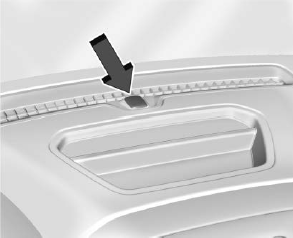
The indicator light, on the instrument panel near the windshield, indicates the status of the system.
