Kia EV2: Rear Cross-Traffic Collision-Avoidance Assist (RCCA): (if equipped) / Rear Cross-Traffic Collision-Avoidance Assist settings
Rear Cross-Traffic Safety
|
|
Whilst the vehicle is ON, tap Setup > Vehicle > Driver Assistance > Parking Safety > Rear Cross-Traffic Safety on your Kia EV2 infotainment system screen to configure and change your preferences.
WARNING
-
When you restart your Kia EV2, Rear Cross-Traffic Collision-Avoidance Assist automatically turns ON by default. If you choose to deselect Rear Cross-Traffic Safety after restarting, you must remain fully aware of your surroundings and drive safely.
-
Towing a trailer or installing an external carrier may reduce rear control stability. If necessary, disable the function and always drive with heightened caution.
-
When connecting a trailer or carrier, configure the dedicated trailer menu settings in your Kia EV2. If configured manually or recognized automatically through genuine accessories, driver assistance functions may experience limitations. Always drive with caution.
Warning Methods
|
|
|
To change the Warning Methods settings whilst your Kia EV2 is ON, tap Setup > Vehicle > Driver Assistance > Warning Methods on the infotainment system screen. You can adjust the following parameters:
-
Warning Volume: Adjusts the audio volume level of the system warning chimes.
-
Haptic Warning: Turns ON the physical steering wheel vibration alert.
TIP
-
Your Warning Methods preferences may also apply to other active driver assistance systems on your Kia EV2.
-
Warning Methods maintain their last configured settings when you turn OFF and subsequently restart the vehicle.
-
The Warning Methods settings menu layout may vary depending on vehicle trim levels and software versions.
 Rear Cross-Traffic Collision-Avoidance Assist (RCCA): (if equipped)
Rear Cross-Traffic Collision-Avoidance Assist on your Kia EV2 detects vehicles approaching the rear of your vehicle from the left or right whilst reversing, utilizing visual warning messages and acoustic alerts to notify you of a potential collision...
 Rear Cross-Traffic Collision-Avoidance Assist operation
Rear Cross-Traffic Collision-Avoidance Assist will issue progressive warnings and actively control your Kia EV2 through distinct stages depending on the evaluated collision risk level:
Collision Warning
Emergency Braking
Stopping vehicle and ending brake control
Collision Warning
Collision Warning
The Collision Warning system on your Kia EV2 actively alerts you to potential hazards by illuminating a warning light on the outside rearview mirror, displaying a visual warning message on the instrument cluster, emitting an audible chime, and providing a distinctive steering wheel vibration...
Other information:
Chevrolet Silverado 2019-2026 Owners Manual: What Will You See after an Airbag Inflates?
After frontal and seat-mounted side impact airbags inflate, they quickly deflate, so quickly that some people may not even realize the airbags inflated. Roof-rail airbags may still be at least partially inflated for some time after they inflate. Some components of the airbag module may be hot for several minutes...
Kia EV2 (QV1, 2026-2026) Owner's Manual: Limitations of Rear Cross-Traffic Collision-Avoidance Assist
The sophisticated Rear Cross-Traffic Collision-Avoidance Assist system integrated into your Kia EV2 may occasionally operate abnormally, experience reduced responsiveness, or trigger unexpected alerts under specific driving circumstances: You are departing from narrow residential or rural areas densely surrounded by overgrown foliage and thick bushes...
Categories
- Manuals Home
- 4th Generation Silverado Owners Manual
- 4th Generation Silverado Service Manual
- Power Outlets
- Driver Information Center (DIC) (Base Level)
- Programming Transmitters to the Vehicle
- New on site
- Most important about car
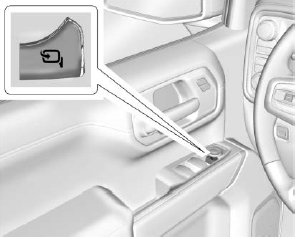
Folding Mirrors
Manual Folding Mirrors
If equipped, push the mirror toward the vehicle to fold. Push the mirror outward to return to its original position.
Manually fold the mirrors inward to prevent damage when going through an automatic car wash.
Power Folding Mirrors