Kia EV2: Digital Key 2 : (if equipped) / Personalized Profile and Vehicle Settings
When the digital key (smartphone) registered in your Kia EV2 is successfully linked with your personal user profile, the vehicle automatically adjusts to your pre-set preferences the moment you unlock and enter. This intelligent personalization system seamlessly controls everything from seat positioning and mirror angles to climate control setups and infotainment configurations according to your linked user profile settings.
If multiple family members or drivers log into the companion smartphone application using the exact same account credentials, the vehicle recognizes them as a unified group, automatically syncing and linking all associated digital smartphone keys within that specific group. When you step into your Kia EV2 carrying your registered digital key, the infotainment system instantly identifies your device and loads your customized profile. You can easily view all active keys belonging to your shared group, excluding your primary smartphone key, by navigating through the dedicated vehicle menu.
To inspect your shared device groups, simply select Settings > Vehicle > Digital Keys > Smartphone key > Shared Keys > [Group] directly on the central infotainment system touchscreen display.
Infotainment software interfaces and menu pathways may evolve following system firmware updates. For additional guidance, consult the digital user manual integrated into your vehicle's infotainment system or check the quick reference guide.
Linking/Unlinking profile
How to link user profile
-
Access the vehicle configuration menu by selecting Settings > User profile > Profile setting > Link Digital Key (Smartphone) on the infotainment system settings menu.
-
Click the Link button and select the specific smartphone digital key you wish to pair from the list displayed on the screen, then follow the on-screen prompts to finalize the association.
-
Once the registration procedure is successfully completed, the confirmation notification 'Digital Key Link Complete.' will appear on the infotainment system screen.
How to unlink user profile
-
Navigate to the configuration area by selecting Settings > User Profile > Profile Setting > Link Digital Key (Smartphone) on the infotainment system. From there, access the dedicated user profile settings to execute the unlinking command. Please note that unlinking is only possible when an active user profile is currently connected.
-
When the disconnection procedure finishes, the confirmation message 'Digital key is unlinked.' will appear on the infotainment system screen.
TIP
An individual user profile cannot be simultaneously mapped to both Driver 1 and Driver 2 positions if both profiles are connected to a single smartphone. Your Kia EV2 will operate using the most recently linked user profile, and any previous profile linkage will be automatically cancelled.
User profile pairing requires the digital key to be fully registered on both your smartphone and the vehicle's onboard computer. Smartphones paired with a different vehicle's digital key cannot be linked.
Physical NFC card keys cannot be linked with personalized user profiles.
If you remove your smartphone from the in-vehicle authentication pad (wireless charging pad) before the user profile linking sequence finishes, the process will be interrupted and will fail to complete normally.
If you delete the profile-linked digital key from your smartphone, you must re-register the digital key and repeat the profile linking process from scratch.
Infotainment software layouts may change after software updates. For more information, refer to the user's manual provided in the infotainment system and the quick reference guide.
Vehicle personalization operation
The advanced personalization functions linked with your digital key on the Kia EV2 operate seamlessly under specific conditions:
-
Unlock or lock the doors by tapping the driver's exterior door handle with your profile-linked smartphone. Note that personalization features will not trigger when locking or unlocking the front passenger door.
-
Personalization features using your digital key become fully functional only after successfully pairing the key within the infotainment system profile menu.
-
Vehicle personalization operates exclusively when the vehicle power is OFF or when the vehicle has been started remotely. If the vehicle is not started remotely, the personalization features will not engage via the digital key alone.
TIP
User profile behavior corresponding to different door lock and unlock triggers works according to the structured mapping below.
Item
Personalization operation
Profile linked smartphone key
Linked profile
Profile unlinked smartphone key
Recently activated profile
NFC card key
Smart key
Vehicle personalization with Digital Key 2
The comprehensive range of customizable personalization features available inside your Kia EV2 is detailed below.
|
System |
Personalization Item |
|
|---|---|---|
|
User Settings menu |
Head Up Display (HUD) |
Position adjustment of image, Information display selection |
|
Lamp |
Blink number of one-touch signal lamps |
|
|
Cluster |
Information display on the cluster, Voice volume, Welcome sound |
|
|
Seat |
Seat position |
|
|
Smart heating wire ventilation On/Off |
||
|
Door |
Automatic door lock/unlock |
|
|
Smartphone wireless charging |
Wireless charging On/Off |
|
|
Air conditioning |
Setting up temperature unit, Block air inflow/ Automatic ventilation Window defroster On/Off |
|
|
Infotainment Settings menu |
Navigation |
Preferred volume of the navigation system |
|
Recent destination |
||
|
User preset |
My menu list settings, Radio preset |
|
|
Phone connectivity |
Bluetooth preferential connection |
|
|
CarPlay/Android Auto/MirrorLink On/Off |
||
|
Air conditioning |
Operating condition |
Latest operation setup of the following functions: Temperature (AUTO), air flow direction, air volume, air conditioner, air intake control, SYNC, Front windscreen defroster, OFF |
For more detailed information regarding advanced personalization options, refer to the official infotainment system manual.
CAUTION
If you leave your digital key inside your Kia EV2 after locking or unlocking the doors or starting the vehicle using the physical smart key, the doors can accidentally become locked via the central door locking mechanism. Always keep your digital key with you at all times.
 Digital Key 2 (Card Key)
How to register Digital Key 2 (Card Key)
To integrate and fully leverage the advanced Digital Key 2 capabilities for your Kia EV2, you can easily register a compatible NFC card key directly within your vehicle's onboard system by following the structured registration workflow below...
 Used Vehicle/Digital Key 2 Maintenance
Purchasing used vehicle
If you have recently acquired a pre-owned vehicle, it is essential to ensure complete security and proper system integration by removing any smartphone keys or physical card keys registered by the previous owner...
Other information:
Kia EV2 (QV1, 2026-2026) Owner's Manual: Tyre sidewall labeling
This comprehensive technical section identifies and describes the fundamental structural characteristics of the pneumatic tyre while providing the essential Tyre Identification Number (TIN) required for official safety standard certification and regulatory compliance on your Kia EV2...
Chevrolet Silverado 2019-2026 Owners Manual: Driver Information Center (DIC) (Midlevel and Uplevel)
The DIC displays are shown in the center of the instrument cluster in the Info app. See Instrument Cluster. The displays show the status of many vehicle systems. If the vehicle has a diesel engine, see the Duramax diesel supplement. or : Press to move left or right between the interactive display zones in the cluster...
Categories
- Manuals Home
- 4th Generation Silverado Owners Manual
- 4th Generation Silverado Service Manual
- Power Outlets
- Steering Column Lock
- Head-Up Display (HUD)
- New on site
- Most important about car
Windows
Warning
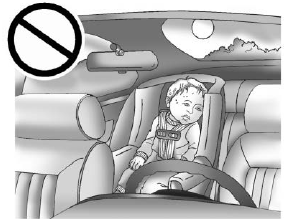
Never leave a child, a helpless adult, or a pet alone in a vehicle, especially with the windows closed in warm or hot weather. They can be overcome by the extreme heat and suffer permanent injuries or even death from heat stroke.