
Kia EV2: Automatic climate control system / Manual heating and air conditioning (A/C) operation
The heating, ventilation, and cooling system can also be managed entirely through manual overrides by interacting directly with individual dash controls instead of relying on the AUTO setting.
To manually operate the heating and A/C system inside your Kia EV2, follow these structured steps:
- Start the vehicle systems.
- Set the desired airflow delivery mode.
-
Heating layout:

-
Cooling layout:

-
- Adjust the temperature control dial to your desired comfort level.
- Set the air intake damper control to external fresh air mode.
- Adjust the blower fan speed to your preferred intensity and turn the A/C system on if cooling is required.
- If desired, turn the air conditioning on while maintaining a warm temperature setting to effectively dry and dehumidify incoming air before it circulates into the cabin.
If the interior glass or windscreen begins to fog up, select the dedicated front defrost
 mode to clear your view.
You can press the AUTO button at any time to seamlessly switch back to fully automated climate control management.
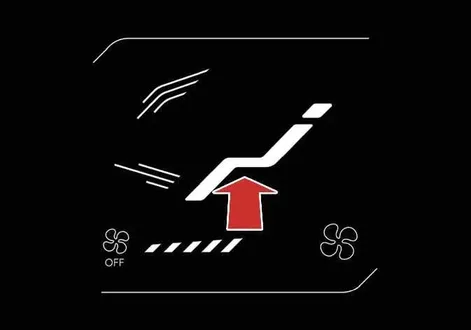
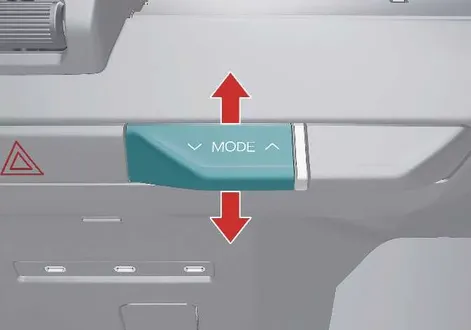
Mode selection
|
|
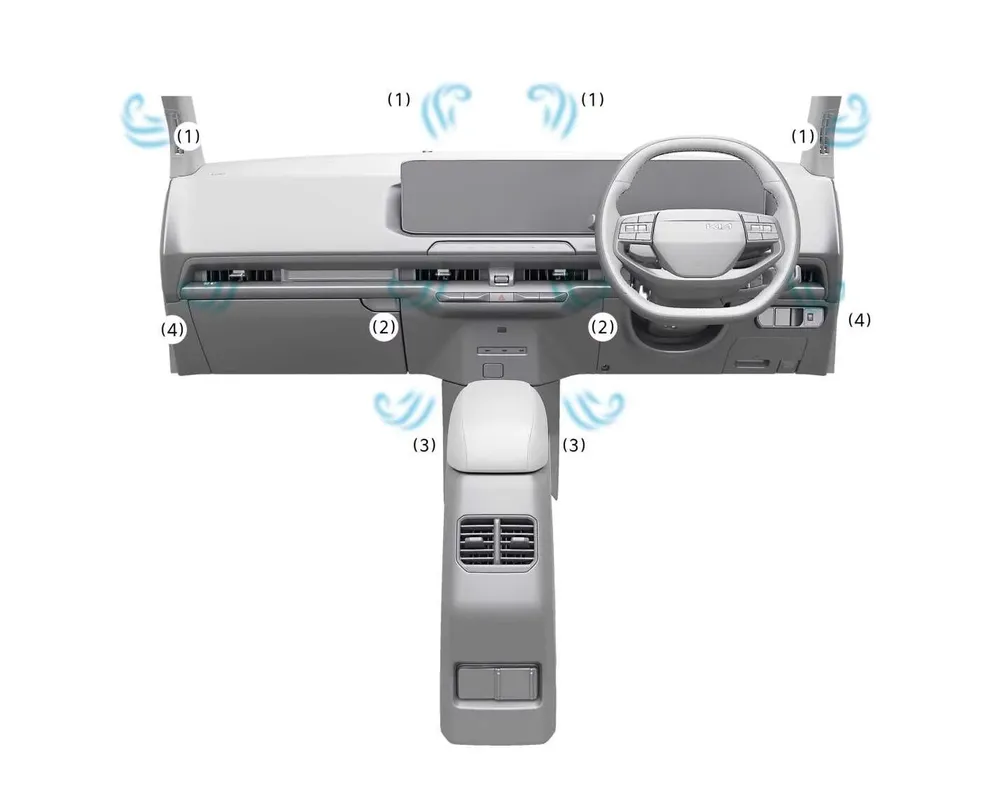
The dedicated mode selection lever and touchscreen icon precisely regulate the distribution path and direction of airflow throughout the vehicle's advanced ventilation network.
 Face-Level (2, 4)
Air flow is directed upward toward the upper body and face regions. You can manually adjust the angle and direction of the airflow from each individual vent.
 Bi-Level (2, 3, 4)
Air flow is split simultaneously toward the upper body and face level as well as down toward the floor area.
 Floor-Level (1, 3, 4)
The majority of the airflow is directed downward to the floor mats, while a minor portion is routed to the windscreen, side window defrosters, and outer side vents.
 Floor/Defrost-Level (1, 3, 4)
Airflow is split primarily between the floor wells and the base of the windscreen, with a small stream directed toward the side window defrosters and side vents.
 Defrost-Level (1, 4)
Nearly all airflow is channeled directly onto the interior windscreen surface, while a controlled auxiliary stream reaches the side window defrosters and outer side vents.
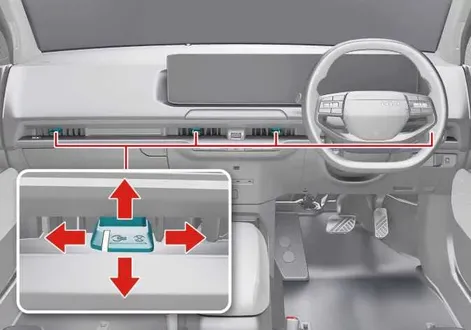
Instrument panel vents
|
|
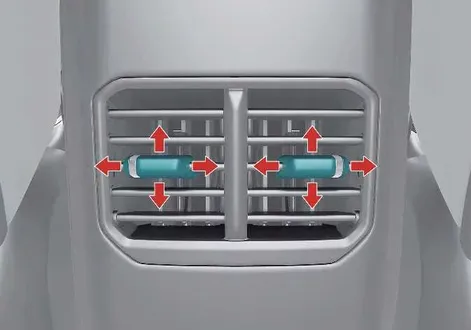
You can seamlessly adjust the direction and diffusion angle of any vent's airflow using the integrated vent control lever as illustrated.
Temperature control
|
|
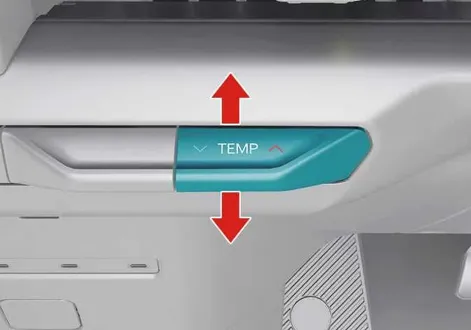
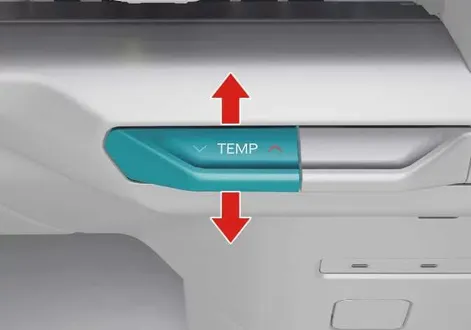
Press the temperature control lever upward to raise the cabin temperature or downward to decrease it to your preferred comfort level.
When the climate system is configured to its absolute lowest temperature setting, the A/C compressor will operate continuously to maximize cooling output.
Syncing driver and passenger temperature: (if equipped)
|
-
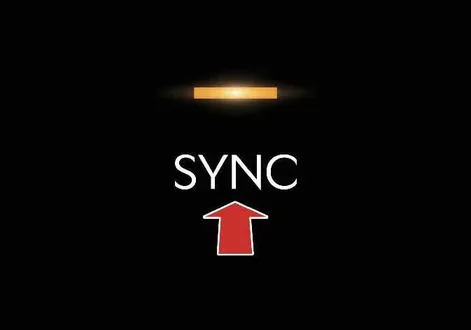
To synchronize the driver and passenger zone temperatures, press the SYNC icon on the display or control panel.
-
The front passenger temperature will instantly match the driver's current setting. Whenever you adjust the driver side temperature control lever, both zones will scale together uniformly.
-
If you modify the passenger side temperature control lever independently, the SYNC function will automatically disengage, allowing separate temperature management for each side.
To return to independent climate control, press the SYNC icon again to turn it off. The button indicator light will extinguish, enabling separate adjustments.
Controlling air intake

|
To change the source of incoming air, press the desired intake control icon on the interface.
Recirculated air intake
Air from within the vehicle cabin is drawn through the heating and cooling system, isolating the interior from outside odors and rapidly adjusting its temperature.
External air intake
Fresh air enters the vehicle directly from the outside environment and is conditioned or heated as required before entering the cabin.
Controlling fan speed
|
|
-
Use the fan speed control icon or physical lever to set the blower intensity to your preference.
-
To adjust blower speed via touch, press the right icon to increase airflow velocity or the left icon to decrease it.
Alternatively, push the fan speed control lever upward to increase the speed or pull it downward to lower the speed.
-
To completely turn off the fan blower speed control, press and hold the left touch icon.
You can also hold the fan speed control lever down until the system shuts off.
Air conditioning (A/C)
|
|
-
To activate the A/C cooling system, press the A/C icon. The integrated indicator light will illuminate to confirm operation.
-
To turn the A/C system off and save energy, press the icon again.
DRIVER ONLY mode
|
|
-
Press the DRIVER ONLY icon. The indicator light will illuminate, restricting active airflow primarily to the driver's seating zone.
-
Use this dedicated mode when traveling alone to minimize overall energy consumption and maximize driving range.
Turning off the front air climate control
|
|
|
-
To power down the entire front climate control system, touch and hold the power icon (1) or press and hold down the fan speed control lever (2).
-
You can still operate the mode and air intake control buttons as long as the vehicle's electrical system is in the ON position.
 Automatic heating and air conditioning (A/C) operation
Tap the AUTO icon on your interface screen...
 Air conditioning (A/C) automatic drying
The A/C automatic drying feature actively extracts lingering moisture from deep within the A/C architecture of your Kia EV2, significantly reducing unpleasant mold and mildew A/C odors over time...
Other information:
Kia EV2 (QV1, 2026-2026) Owner's Manual: Power/Charge gauge
The Power/Charge gauge shows the energy consumption rate of the vehicle and the charge and discharge status of the regenerative brakes in your Kia EV2...
Chevrolet Silverado 2019-2026 Owners Manual: Passenger Sensing System
The vehicle has a passenger sensing system for the front outboard passenger position. The passenger airbag status indicator will light on the overhead console when the vehicle is started. United States Canada The words ON and OFF, or the symbols for on and off, will be visible during the system check...
Categories
- Manuals Home
- 4th Generation Silverado Owners Manual
- 4th Generation Silverado Service Manual
- Driver Information Center (DIC) (Base Level)
- Power Seat Adjustment
- Power Outlets
- New on site
- Most important about car
Power Mirrors
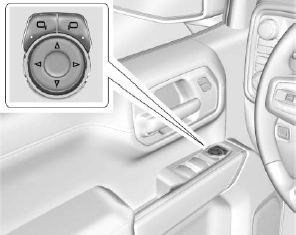
To adjust each mirror:
Press  or
or
 to select the driver or passenger side
mirror. The indicator light will illuminate.
to select the driver or passenger side
mirror. The indicator light will illuminate.
