
Kia EV2: Driving electric vehicle / EV Economy History. Electricity Use
|
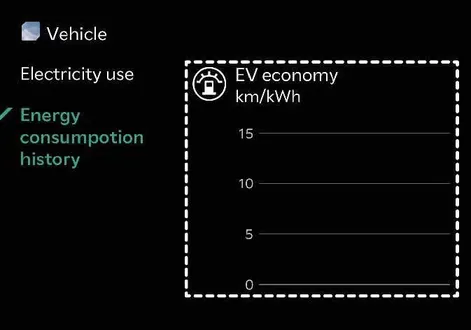
You can check the history of energy consumption with the date and distance of the last time you drove. The icon displays on the most efficient energy consumption record.
Electricity Use
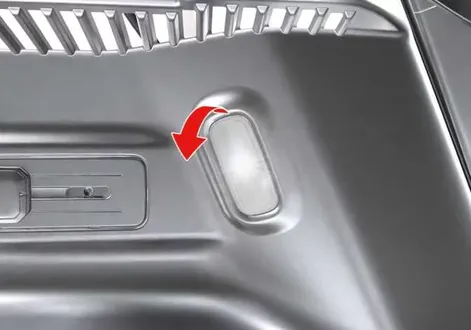
To check the current energy consumption for each system of your Kia EV2, tap Electric Vehicle > Electricity Use on the infotainment system screen.
|
-
Drivetrain shows the total power and energy consumption of the motor’s driving and regenerative energy.
-
Electronics shows the power and energy consumption used by the vehicle systems, including the instrument cluster, infotainment system (speaker and navigation), headlamps, vehicle control unit, and so on.
-
Climate shows the power and energy consumption used by the heater or air conditioner.
-
Battery care shows the power and energy consumption used when:
-
You use battery conditioning mode to secure DC charging performance as at room temperature even during hot and cold weather.
-
You cool down the battery temperature during summer to avoid overheating of the battery.
-
 Distance to empty. Impact on distance to empty
Impact on distance to empty
The vehicle displays the distance to empty differently according to the drive mode selected in the drive mode integrated control system of your Kia EV2...
 Power/Charge gauge
The Power/Charge gauge shows the energy consumption rate of the vehicle and the charge and discharge status of the regenerative brakes in your Kia EV2...
Other information:
Kia EV2 (QV1, 2026-2026) Owner's Manual: Surround View Monitor malfunction and limitations
Surround View Monitor malfunction When the Surround View Monitor on your Kia EV2 experiences a system malfunction, the live image on the screen may abnormally appear tinted green, blue, or completely black. If the Surround View Monitor does not work properly, the screen flickers, or the camera image fails to display correctly, have your vehicle inspected by a professional workshop...
Chevrolet Silverado 2019-2026 Owners Manual: Filling the Tank (Pickup Model)
If the vehicle has a diesel engine, see the Duramax diesel supplement. An arrow on the fuel gauge indicates which side of the vehicle the fuel door is on. See Fuel Gauge. Warning Fuel vapors and fuel fires burn violently and can cause injury or death...
Categories
- Manuals Home
- 4th Generation Silverado Owners Manual
- 4th Generation Silverado Service Manual
- E85 or FlexFuel
- Steering Column Lock
- Instrument Panel Fuse Block (Right)
- New on site
- Most important about car
Power Mirrors
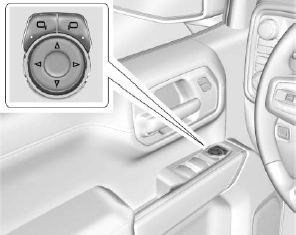
To adjust each mirror:
Press  or
or
 to select the driver or passenger side
mirror. The indicator light will illuminate.
to select the driver or passenger side
mirror. The indicator light will illuminate.
