
Kia EV2: Surround View Monitor (SVM): (if equipped) / Surround View Monitor malfunction and limitations
Surround View Monitor malfunction
When the Surround View Monitor on your Kia EV2 experiences a system malfunction, the live image on the screen may abnormally appear tinted green, blue, or completely black.
If the Surround View Monitor does not work properly, the screen flickers, or the camera image fails to display correctly, have your vehicle inspected by a professional workshop. Kia recommends visiting an authorised Kia dealer or service partner.
Limitations of Surround View Monitor
When your Kia EV2 is stopped for an extended period in cold winter conditions or when parked inside a confined indoor parking structure, localized exhaust fumes and ambient temperature variations may temporarily blur or distort the camera image feed.
-
The screen may display abnormally and show an error or warning icon at the top left side under the following operating circumstances:
-
You open the tailgate.
-
You open the driver’s door, or the front passenger opens their respective door.
-
You fold or adjust the outside rearview mirrors.
-
WARNING
-
Always look directly for objects or obstacles around your Kia EV2 before moving the vehicle. What you see on the navigation screen may slightly differ from the vehicle’s actual physical location.
-
Distances shown on the Surround View Monitor screen may differ from actual distances due to wide-angle image calibration by the Wide Rear View camera. If your Kia EV2 is tilted due to heavy loaded cargo, the Rear Parking Guidelines may appear incorrect. When you are parking or driving, be sure to directly check your vehicle’s surroundings for safety.
-
The Surround View Monitor is engineered to be used on flat surfaces, and the image on the screen may not look correct when used on roads with varying heights, such as high kerbs and steep speed bumps.
-
Always keep the camera lenses clean to maintain optimal camera performance and flawless Surround View Monitor operation. Do not clean the camera lens with harsh chemical solvents that may damage the protective coating, including strong detergents containing high alkalinity or volatile organic solvents such as petrol and acetone.
-
Driving your Kia EV2 with the tailgate open is abnormal and hazardous. For your absolute safety, remain fully aware of your surroundings and drive with extreme caution.
TIP
The Surround View Monitor displays comprehensive images of your Kia EV2 surroundings using strategically mounted exterior cameras. The images shown on the screen may look slightly unnatural depending on the vehicle orientation and surrounding environmental conditions. Regular daily driving helps calibrate and optimize the Surround View Monitor’s image clarity.
 Surround View Monitor operation
Parking/View button
(1) Parking/View button
To turn Surround View Monitor ON, press the Parking/View button (1)...
 Rear Cross-Traffic Collision-Avoidance Assist (RCCA): (if equipped)
Rear Cross-Traffic Collision-Avoidance Assist on your Kia EV2 detects vehicles approaching the rear of your vehicle from the left or right whilst reversing, utilizing visual warning messages and acoustic alerts to notify you of a potential collision...
Other information:
Chevrolet Silverado 2019-2026 Owners Manual: Power Release Tailgate
Warning Make sure there is no one in the way of the power tailgate as it is opening and closing, and keep hands away from the tailgate hinges when in use. You or others could be injured if caught in the path of the power tailgate or tailgate hinges...
Chevrolet Silverado 2019-2026 Owners Manual: Passenger Compartment Air Filter
The filter reduces the dust, pollen, and other airborne irritants from outside air that is pulled into the vehicle. The filter should be replaced as part of routine scheduled maintenance. See Maintenance Schedule. To find out what type of filter to use, see Maintenance Replacement Parts...
Categories
- Manuals Home
- 4th Generation Silverado Owners Manual
- 4th Generation Silverado Service Manual
- Electric Parking Brake
- Lower Anchors and Tethers for Children (LATCH System)
- Driver Information Center (DIC) (Base Level)
- New on site
- Most important about car
Child Restraint Systems
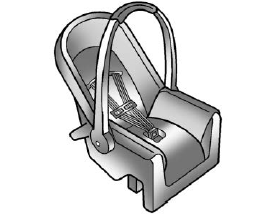
Rear-Facing Infant Restraint
A rear-facing child restraint provides restraint with the seating surface against the back of the infant.
