
Chevrolet Silverado: Instruments and Controls / Vehicle Messages
Chevrolet Silverado 2019-2026 Owners Manual / Instruments and Controls / Vehicle Messages
 Head-Up Display (HUD)
Warning
If the HUD image is too bright or too high in your field of view, it may
take you more time to see things you need to see when it is dark outside...
 Vehicle Messages
Messages displayed on the Driver Information Center (DIC) indicate the status
of the vehicle or some action that may be needed to correct a condition...
Other information:
Chevrolet Silverado 2019-2026 Owners Manual: Taillamps, Turn Signal, Stoplamps, and Back-Up Lamps
Base Level Taillamp Assembly Stoplamp/Taillamp/Turn Signal Lamp Back-Up Lamp Side Marker Lamp Uplevel Taillamp Assembly 1500 shown 2500/3500 similar Back-Up Lamp It is recommended to replace the grommets when replacing a bulb. See your dealer...
Chevrolet Silverado 2019-2026 Owners Manual: Full-Size Spare Tire
If this vehicle came with a full-size spare tire, it was fully inflated when new, however, it can lose air over time. Check the inflation pressure regularly. See Tire Pressure and Vehicle Load Limits. For instructions on how to remove, install, or store a spare tire, see Tire Changing...
Categories
- Manuals Home
- 4th Generation Silverado Owners Manual
- 4th Generation Silverado Service Manual
- Driver Information Center (DIC) (Midlevel and Uplevel)
- Heated Steering Wheel
- Driver Information Center (DIC) (Base Level)
- New on site
- Most important about car
Windows
Warning
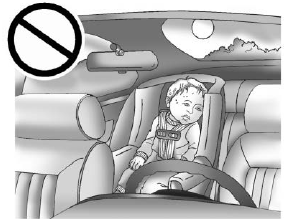
Never leave a child, a helpless adult, or a pet alone in a vehicle, especially with the windows closed in warm or hot weather. They can be overcome by the extreme heat and suffer permanent injuries or even death from heat stroke.

Copyright © 2026 www.chsilverado.com