Kia EV2: Surround View Monitor (SVM): (if equipped) / Surround View Monitor settings
Warning Methods
|
|
To change the Warning Methods settings whilst the vehicle is ON, tap Setup > Vehicle > Driver Assistance > Warning Methods on the infotainment system screen. You can change the following settings:
-
Parking Safety Priority: Lowers all other audio volumes when Surround View Monitor is active.
TIP
-
Your Warning Methods settings may apply to the Warning Methods of other driver assistance systems.
-
Warning Methods maintain their last settings when you turn OFF and restart the vehicle.
-
The Warning Methods setting menu may not be available on all vehicles.
Camera Settings
|
|
|
Whilst the vehicle is ON, tap the setup icon ( ) or tap Setup > Vehicle > Driver Assistance > Parking Safety > Camera Settings on the infotainment system screen to change the Rear View Monitor settings.
Display Contents: Choose which information displays on the parking assistance screen.
Parking Distance Warning
If you select the Parking Distance Warning, the top-right corner of the Surround View Monitor screen displays the Parking Distance Warning when the warning is activated.
Rear View Parking Guidance
If you select Rear View Parking Guidance, the function displays in the Rear View.
Top View Parking Guidance
If you select Top View Parking Guidance, the function displays on the top right of the Surround View Monitor screen when Front or Rear Top View activates.
Display settings
You can set the brightness (day/night) and contrast of the camera image in Display settings.
TIP
-
Depending on your vehicle’s features and specifications, the settings menu may not be available.
-
The horizontal Parking Guidance lines displayed on the Surround View Monitor indicate distances from your vehicle of 0.5 m (20 in), 1 m (40 in), and 2.3 m (91 in).
-
The horizontal scale displayed by Top View Parking Lines indicates the tailgate opening distances and 2 m (79 in) from your vehicle.
Surround View Monitor Auto On
Whilst the vehicle is ON, tap Setup > Vehicle > Driver Assistance > Parking Safety > Surround View Monitor Auto On on the infotainment system screen to use the function.
NOTE
For more information about Surround View Monitor Auto On, refer to Surround View Monitor Auto On.
 Surround View Monitor (SVM): (if equipped)
Surround View Monitor (SVM) can assist you with parking by allowing you to see around the vehicle.
Detection sensor
Please refer to Detecting sensor(s) for the applicable sensors and their locations...
 Surround View Monitor operation
Parking/View button
(1) Parking/View button
To turn Surround View Monitor ON, press the Parking/View button (1)...
Other information:
Kia EV2 (QV1, 2026-2026) Owner's Manual: Fuse/relay panel description
In this technical section of the guide, you can thoroughly explore the comprehensive fuse and relay labeling layout designed for the modern Kia EV2, explicitly detailing the exact identification names, amperage capacities, and protected electrical circuits...
Kia EV2 (QV1, 2026-2026) Owner's Manual: Using the Tyre Mobility Kit
CAUTION Detach the speed restriction label from the sealant bottle and place it in a highly visible position inside your Kia EV2, such as on the steering wheel, to remind the driver to maintain lower speeds. If you only need to check or adjust the regular tyre inflation pressure without applying sealant, refer to the dedicated section on checking tyre inflation pressure...
Categories
- Manuals Home
- 4th Generation Silverado Owners Manual
- 4th Generation Silverado Service Manual
- Steering Column Lock
- Tire Chains
- Driver Information Center (DIC) (Midlevel and Uplevel)
- New on site
- Most important about car
Keys (Key Access)
Warning
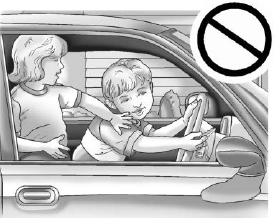
Leaving children in a vehicle with the ignition key is dangerous and children or others could be seriously injured or killed. They could operate the power windows or other controls or make the vehicle move. The windows will function with the keys in the ignition, and children or others could be caught in the path of a closing window. Do not leave children in a vehicle with the ignition key.