Kia EV2: Controls and Features / Interior lights
Your Kia EV2 is thoughtfully equipped with high-efficiency interior lighting fixtures designed to clearly illuminate the passenger cabin.
WARNING
Avoid using the interior overhead lights while driving in dark conditions. Stray cabin illumination can create reflections on the windshield and obscure your outward field of vision, potentially causing dangerous accidents.
CAUTION
To prevent depleting the 12V auxiliary battery, refrain from operating the interior lights for extended periods when the Kia EV2 propulsion system is not active.
Automatic turn off function
If the interior lights are left switched on, they will automatically deactivate approximately 20 minutes after you turn off your Kia EV2 and ensure all doors, including the tailgate, are completely closed.
If any door or the tailgate remains open, the interior lights will automatically shut off after approximately 25 minutes to conserve power.
If your Kia EV2 features an active theft alarm system, the interior lights will automatically turn off approximately 5 seconds after the security system successfully arms.
Interior lights always on
The specialized "Interior lights always on" function keeps the essential cabin control button illumination active continuously, whether you are driving during broad daylight or navigating in deep nighttime conditions, making it effortless to locate critical switches inside your Kia EV2.
To activate this convenient feature on your Kia EV2, simply navigate to Settings > Vehicle > Lights > Interior Lights Always On directly through the central touchscreen infotainment system.
The interior button illumination will automatically turn on or off according to the following specific operational conditions:
-
When all doors are closed and fully locked, if you subsequently unlock and open any door, the interior button lights will remain illuminated for approximately 5 minutes.
-
When the vehicle is powered down or turned off, the internal button lights will stay lit for approximately 5 minutes.
-
During this active window, if you open and close the door or engage the door locks, the illuminated buttons will turn off immediately.
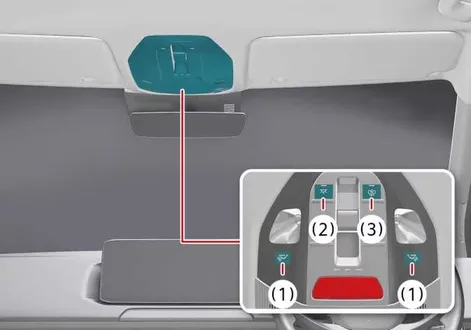
Map light
|
|
-

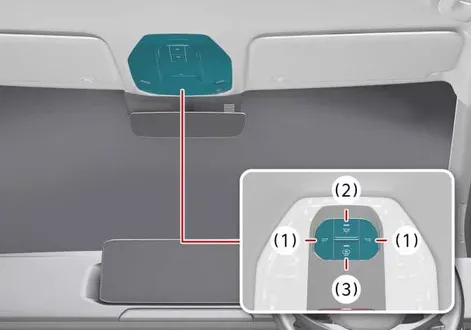
 : Pressing the individual button at either position turns on the corresponding reading lamp, and pressing it again switches the lamp off.
If you press and hold the corresponding button for approximately 1.5 seconds or longer while the lamp is lit, the luminance level of the left and right map lamps will gradually adjust. Releasing the button at your preferred level saves your custom brightness setting.
-
 : Pressing this master button turns on both the front and rear seat overhead lamps simultaneously, while pressing it again extinguishes all cabin lamps.
If you press and hold this master button for about 1.5 seconds or more while the status indicator is active, the brightness of all front and rear passenger lamps will adjust together. Releasing the button at the desired intensity saves the configuration.
To completely reset the overall brightness of your interior lighting system back to factory defaults, press and hold the button for more than 3 seconds while the status indicator is turned off; the lights will blink twice to confirm successful reinitialization.
-
 : DOOR mode
-
Indicator OFF
-
The lamp illuminates automatically when a door is opened and turns off approximately 30 seconds after the door is securely closed.
-
When unlocking the vehicle using your smart key, the lamp activates for about 30 seconds before fading out.
-
If the interior lights are remaining on for their 30-second duration, they will extinguish immediately the moment the vehicle is started or all doors are locked.
-
When your Kia EV2 is in the OFF position, opening the doors will keep the interior lights active for a maximum duration of approximately 10 minutes. If the doors are closed and locked, the interior lights turn off instantly.
When your Kia EV2 is set to the POWER ON position, the interior illumination remains continuously active until all passenger doors are fully closed.
-
-
Indicator ON
-
The interior lighting operates synchronously with the opening and closing of the vehicle doors.
-
-
NOTE
You cannot select both the DOOR mode and the ROOM mode simultaneously.
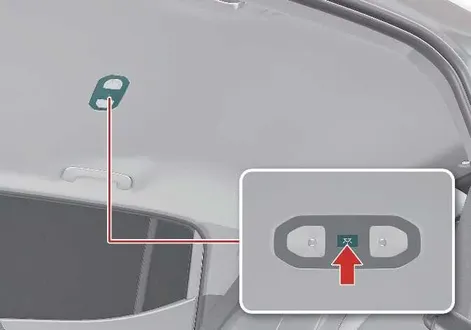
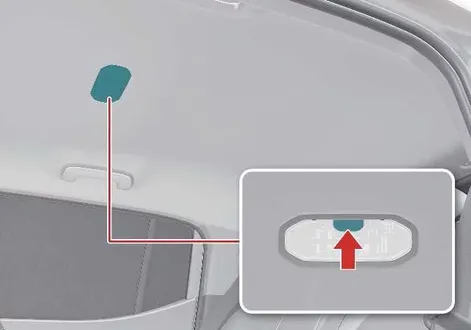
Interior light
|
|
Simply press the designated lens or button to manually switch the overhead cabin lighting on or off as needed during your journey inside the Kia EV2.
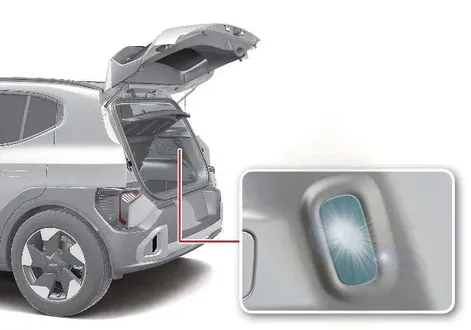
Luggage compartment light
|
The bright luggage compartment light activates automatically to illuminate your cargo area the moment you open the rear tailgate.
CAUTION
The luggage compartment light stays illuminated for approximately 25 minutes whenever the tailgate remains open.
To prevent unnecessary drain on the 12V auxiliary charging system, always ensure you close the tailgate securely after loading or unloading your cargo.
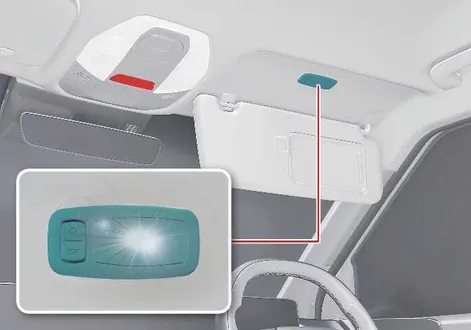
Vanity mirror light: (if equipped)
|
Push the integrated switch to turn the vanity mirror light on or off according to your preference.
-
 : Press this button to switch the vanity mirror light on.
 -
 : Press this button to switch the vanity mirror light off.
NOTE
Vanity mirror lamp
Always close the vanity mirror cover and make sure the light is turned off when not in active use. Flipping the sun visor up into its stowed position while the vanity light remains switched on can physically damage the visor assembly or cause significant discharge of the vehicle's 12V auxiliary battery.
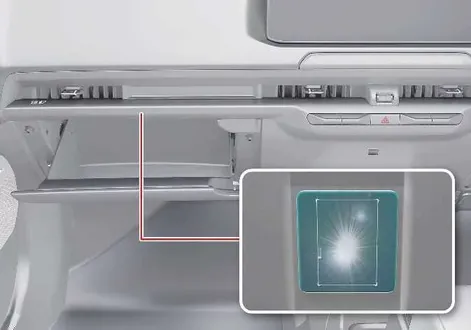
Glove box light: (if equipped)
|
The glove box light illuminates automatically the moment you pull the handle and open the passenger dashboard glove box.
NOTE
To prevent unnecessary drain on the vehicle's electrical charging system, ensure you close the glove box securely after retrieving your items.
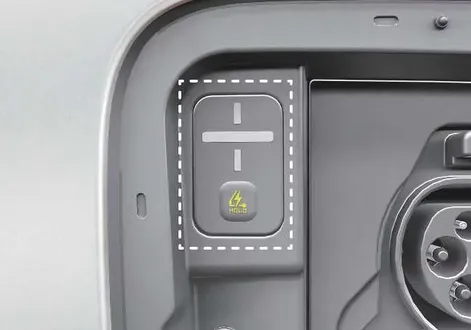
Charging inlet light
The dedicated charging inlet light illuminates automatically as soon as the exterior charge port door is opened, giving you clear visibility during nighttime or low-light plug-in sessions.
|
NOTE
The charging inlet light remains lit as long as the charging port door stays open. To prevent unnecessary electrical drain on the vehicle charging system, close the charging door securely once your EV charging session is completed.
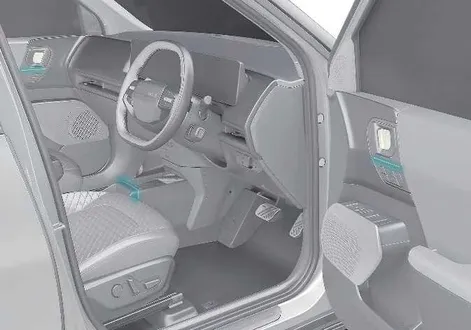
Ambient light: (if equipped)
Sophisticated ambient lighting strips are elegantly integrated across the front instrument panel, the front center console, and the front door trim panels to elevate the interior atmosphere of your Kia EV2.
|
When your Kia EV2 is switched to the POWER ON position, select Settings > Vehicle > Lights > Ambient Lighting from the infotainment system to customize your cabin ambiance.
NOTE
Infotainment menu options may change following a system software update. For more precise instructions, refer to the digital user manual accessible within your infotainment display or consult the quick reference guide.
 Welcome system: (if equipped). Door welcome lamp: (if equipped)
The welcome system on your Kia EV2 gracefully displays the exterior surroundings or illuminates the refined cabin interior whenever the driver approaches the vehicle or prepares to exit...
 Climate control system
The advanced climate control system efficiently cools or heats the cabin interior of your Kia EV2 to ensure optimal thermal comfort for both the driver and all passengers...
Other information:
Chevrolet Silverado 2019-2026 Owners Manual: Navigation
Navigation requires a specific OnStar or connected service plan. Press to receive Turn-by-Turn directions or have them sent to the vehicle’s navigation screen, if equipped. Turn-by-Turn Navigation Press to connect to an Advisor. Request directions to be downloaded to the vehicle...
Kia EV2 (QV1, 2026-2026) Owner's Manual: Remote Smart Parking Assist malfunction
Remote Smart Parking Assist check Check Parking Assist Visit A Nearby Service Centre...
Categories
- Manuals Home
- 4th Generation Silverado Owners Manual
- 4th Generation Silverado Service Manual
- Instrument Panel Overview
- Maintenance Schedule
- Jump Starting
- New on site
- Most important about car
Rear Camera Mirror
If equipped, this automatic dimming mirror provides a wide angle camera view of the area behind the vehicle.