Kia EV2: Electric vehicle guide / Portable charger
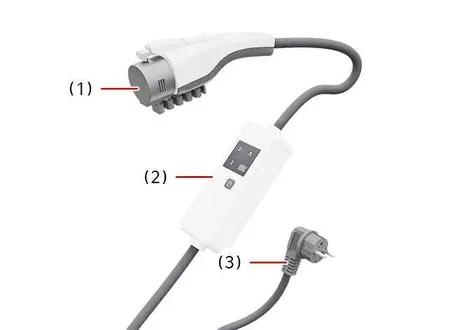
|
|
You can use Portable Charge with household electricity when AC Charge or DC Charge is not available, providing a flexible and convenient way to keep your Kia EV2 powered up wherever standard power outlets are accessible.
Setting the charge level of the portable charger
|
- Check the rated current of the household electric outlet before you connect the plug to it to ensure safe operation of your Kia EV2.
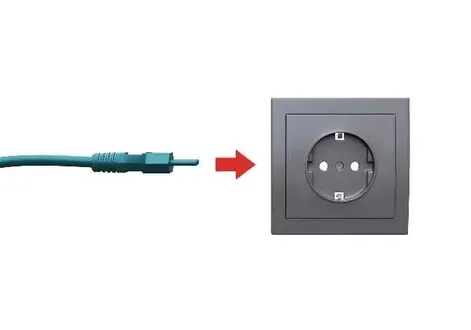
- Connect the ICCB plug to a household electrical outlet securely.
- Check the display window on the control box for operational status indicators.
- Press the button (1) on the back of the control box for 2 to 8 seconds to adjust the charge level. (Refer to the charging cable type and example for setting the charge level.)
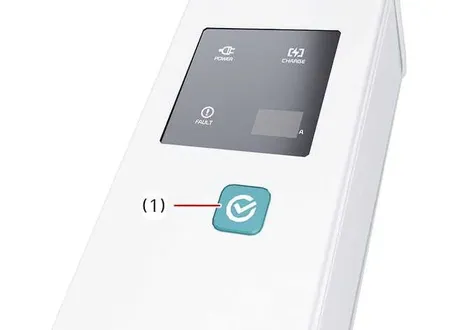
The charge level on the display window of the control box changes every time you press the button (1).
- When you finish setting the charge level, start charging according to the portable charge procedure designed for your Kia EV2.
Figure 1. Control box display window
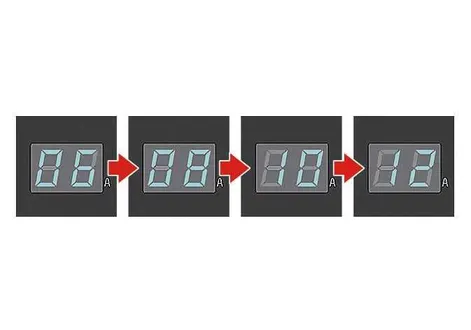
Example for setting the In-Cable Control Box (ICCB)charge level
This example is for reference only. The actual charge level might vary according to the surrounding environment.
Outlet current
ICCB charge level
14–16 A
12 A
13–12 A
10 A
11–10 A
8 A
9–8 A
6 A
How to connect the portable charger: In-Cable Control Box (ICCB)
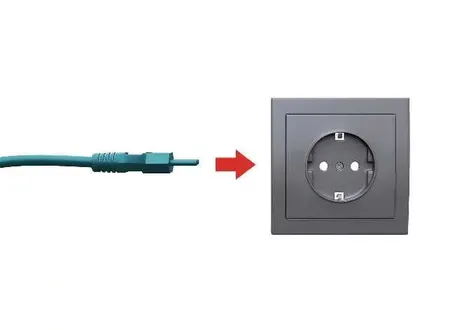
- Connect the plug to a household electric outlet.
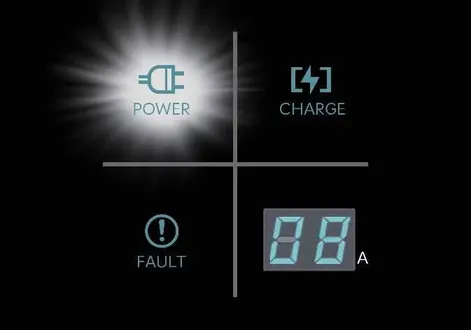
- Check to make sure the power connection indicator light (green) illuminates in the control box.
- Engage the brake pedal and apply the parking brake.
- Turn all switches
OFF, shift the gear to P (Park), and turn the vehicleOFF. If you initiate charging without the gear in P (Park), charging will start after the gear automatically shifts to P (Park). - Open the charging door.
For more details, refer to Charging door.
- Open the protective caps on the charging connector and the charging plug. Check to make sure there is no dust or foreign substances.
- Hold the charging connector handle and connect it to the vehicle charging inlet. Push the connector all the way in. If the charging connector and charging terminal are not connected properly, this might cause a fire.
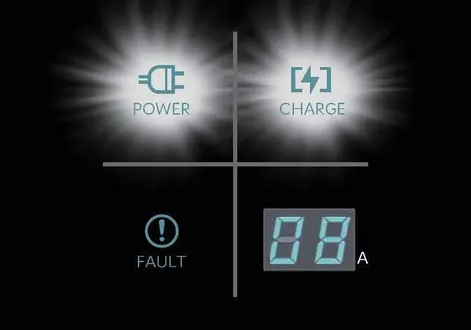
- Charging starts automatically (the charging indicator light appears).
- Check to make sure the charging indicator light (
 ) for the high voltage battery on the instrument cluster is illuminated. Charging is not active when the charging indicator light (
  ) is off. If the charging connector and charging plug are not connected properly, reconnect the charging cable to begin charging.

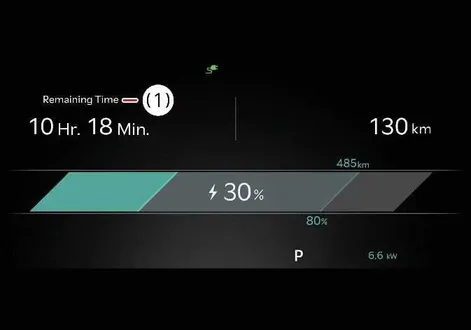
- After charging begins, the instrument cluster displays the estimated charging time for about 1 minute.
-
Remaining Time
The instrument cluster also displays the estimated charging time for about 1 minute if you open the driver side door whilst charging. When you set scheduled charging or scheduled air conditioning or heating, the instrument cluster displays the estimated charging time as “--”.
CAUTION
To avoid blowing a fuse, make sure the charge level selection matches the capacity of your circuit breaker.
NOTE
-
If you cannot open the charging door due to freezing weather, lightly tap or remove any ice near the charging door. Do not try to open the charging door by force. Doing so might damage it.
-
Even though you can charge with the
EVbutton in theSTARTposition, for your safety, start charging when theEVbutton is in theOFFposition and the gear is shifted to P (Park). After you begin charging, you can use electrical components such as the radio by pressing theEVbutton in thePOWER ONposition. You cannot shift the gear from P (Park) to any other gear whilst charging. -
Depending on the condition and durability of the high voltage battery, charger specifications, and ambient temperature, the time required for charging the battery might vary.
-
How to disconnect the portable charger: In-Cable Control Box (ICCB)
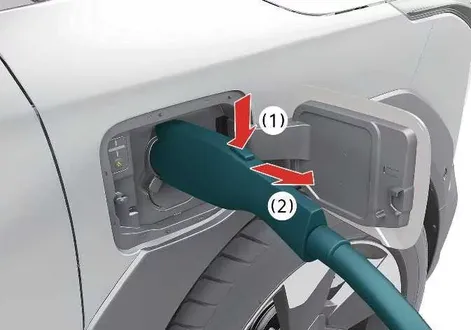
- Hold the charging connector handle and pull it out (2) whilst pushing the unlock button (1) on the charging connector.
- Make sure to completely close the charging door.
- Disconnect the plug from the household electric outlet. Do not pull the cable when disconnecting the plug.
- Close the protection caps of the charging connector and the charging plug to protect them from foreign substances.
- If you use a personal charging connector, store it in the cable compartment.
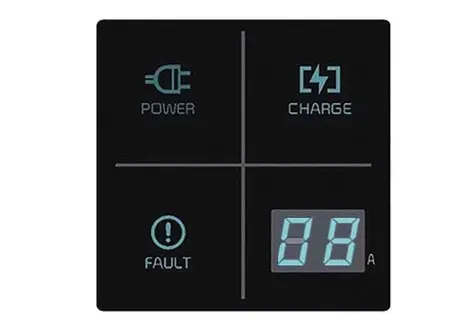
Charging status indicator light for the portable charger. Status, Diagnosis, and Countermeasure
|
|
Indicator |
Details |
|
|---|---|---|
|
|
On: Power on |
|
|
|
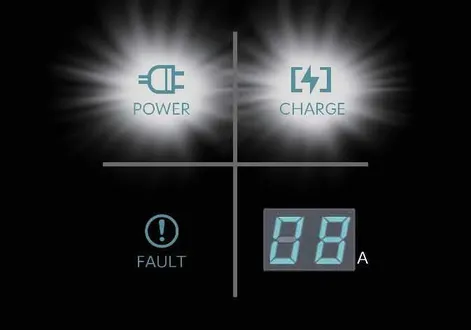
On: Charge Blink: Current limit due to high plug temperature or high internal temperature |
|
|
FAULT |
Blink: Charging interrupted |
|
|
|
12 |
12 A |
|
10 |
10 A |
|
|
08 |
8 A |
|
|
06 |
6 A |
|
|
The charging current changes if you press the button (1) for less than a second whilst the charger is connected to an electrical outlet, but not the vehicle. Figure 1. Control box 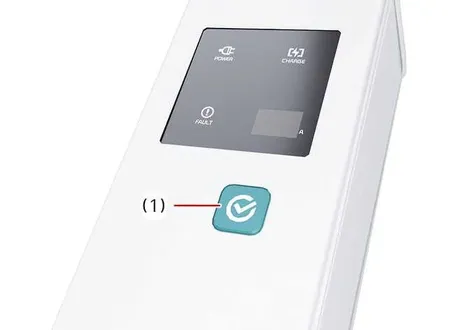
|
||
Status, Diagnosis, and Countermeasure
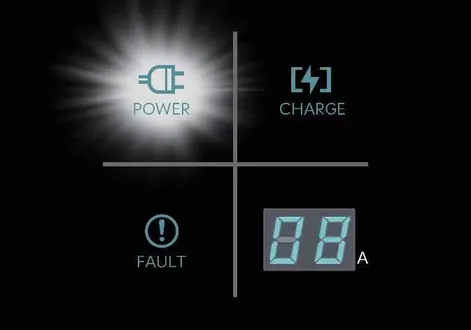
|
-
Charging connector plugged into vehicle (
POWERGreenON) -
Plug connected to an electric outlet (
POWERGreenON)
Whilst charging
|
-
Charge indicator light (
POWERGreenON,CHARGEBlueON) -
Charging current
Before plugging the charging connector into the vehicle (POWER Green ON, FAULT Red blink)
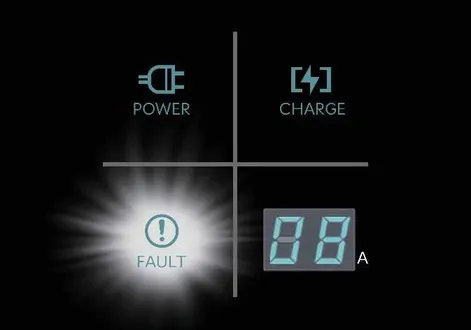
|
-
Abnormal temperature
-
ICCB (In-Cable Control Box) failure
Plugged into the vehicle (POWER Green ON, FAULT Red Blink)
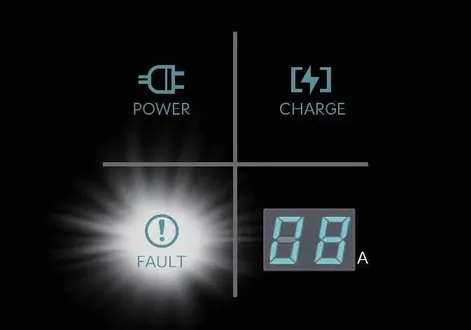
|
-
Diagnostic device failure
-
Current leakage
-
Abnormal temperature
Leakage current failure (POWER Green ON, FAULT Red Blink)
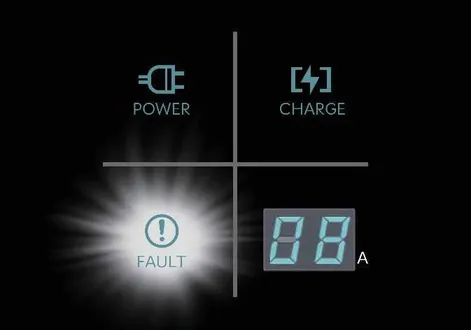
|
Disconnect and reconnect the power plug to clear the error.
Power saving mode
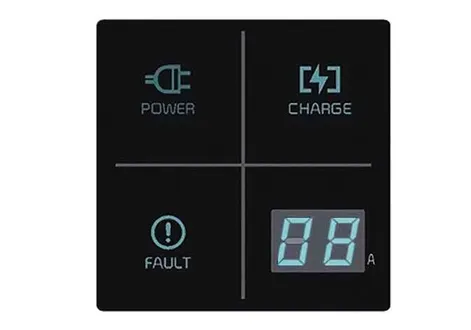
|
The charge level indicator turns off if the status does not change for more than a minute.
Precautions for the portable charger: In-Cable Control Box (ICCB)
-
Use a portable charger that is certified by an authorised Kia dealer or service partner.
-
Do not try to repair, disassemble, or adjust the portable charger.
-
Do not use an extension cord or adapter.
-
Stop using the portable charger immediately if it fails.
-
Do not touch the plug or charging connector with wet hands.
-
Do not touch the terminal part of the AC charging connector and the AC charging inlet on the vehicle.
-
Do not connect the charging connector to a voltage that does not comply with regulations.
-
Do not use the portable charging cable if it is worn out, damaged, or has exposed wires.
-
If the In-Cable Control Box (ICCB) case or the AC charging connector is damaged, cracked, or has exposed wires, do not use the portable charger.
-
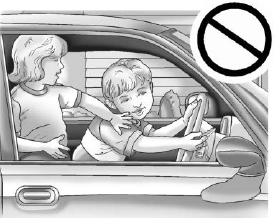
Do not let children operate or touch the portable charger.
-
Keep the control box dry.
-
Keep the charging connector and plug terminal free of foreign substances.
-
Do not pull, twist, bend, or step on the cable or cord.
-
Do not charge the vehicle when there is lightning.
-
Do not drop or place any heavy objects onto the control box.
-
Do not place objects that can generate high temperatures near the charger whilst charging the vehicle.
-
Charging with a worn out or damaged household electric outlet can cause electric shock. If you are unsure about the condition of a household electric outlet, have it inspected by a licensed electrician.
-
Stop using the portable charger immediately if the household electric outlet or any components overheat or if you smell something burning.
NOTE
To prevent charging cable theft, you cannot disconnect the charging connector from the inlet whilst the doors are locked or the charging connector is in Always lock mode. Unlock all doors to disconnect the charging connector from the inlet.
If the vehicle is in Lock whilst charging mode, the charging connector automatically unlocks from the inlet when you finish charging.
Disconnecting the charging connector without pressing the release button might damage the inlet.
For more details, refer to Precautions for charging the electric vehicle.
If the release button does not work even after you unlock the all doors, pull the emergency lift cable in the motor room and press the release button on the connector to disconnect it from the vehicle. If the release button still does not work, have your vehicle inspected by a professional workshop. Kia recommends visiting an authorised Kia dealer or service partner.
 Plug & Charge (Automatic Billing Charging)
The Plug & Charge feature allows for faster and more convenient vehicle charging by automatically billing when you use DC chargers with your Kia EV2...

Other information:
Kia EV2 (QV1, 2026-2026) Owner's Manual: Coat hook
A convenient coat hook is thoughtfully positioned right next to the left rear grab handle inside the passenger cabin of the Kia EV2. Please note that the actual appearance and physical placement of this feature may slightly differ depending on your specific vehicle specification and trim level...
Kia EV2 (QV1, 2026-2026) Owner's Manual: Moisture breeds corrosion
Corrosion forms most aggressively in constant moisture conditions. High relative humidity speeds up oxidation rates, especially when ambient temperatures hover just above freezing, as condensation evaporates very slowly and keeps corrosive electrolytes in prolonged contact with metal surfaces...
Categories
- Manuals Home
- 4th Generation Silverado Owners Manual
- 4th Generation Silverado Service Manual
- Power Release Tailgate
- Folding Mirrors
- Programming Transmitters to the Vehicle
- New on site
- Most important about car
Keys (Key Access)
Warning
Leaving children in a vehicle with the ignition key is dangerous and children or others could be seriously injured or killed. They could operate the power windows or other controls or make the vehicle move. The windows will function with the keys in the ignition, and children or others could be caught in the path of a closing window. Do not leave children in a vehicle with the ignition key.