
Chevrolet Silverado: Exterior Lighting / Task Lighting
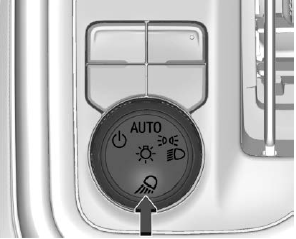
If equipped, task lighting projects light from the outside mirrors away from the vehicle.
While the vehicle is parked, press
 to select one of the following options:
- Left and Right Task Lights Illuminated
- Left Task Light Illuminated
- Right Task Light Illuminated
- Left and Right Task Lights Off
If the vehicle leaves a parked position, the lights will immediately turn off.
If the vehicle is off, the lights will stay on for approximately 10 minutes.
If any Task lights are on, if the button has not been pressed after approximately 5 seconds, pressing it again will turn off all Task Lights.
 Fog Lamps
If equipped, the fog lamp control is near the exterior lamp control to the left
of the steering column.
The ignition must be on for the fog lamps to come on...
 Auxiliary Roof-Mounted Lamp
If equipped, this button includes wiring provisions for a dealer or a qualified
service center to install an auxiliary roof lamp.
This button is on the overhead console...
Other information:
Kia EV2 (QV1, 2026-2026) Owner's Manual: Power outlet
The auxiliary power outlet supplies electrical power for mobile phones, portable electronics, or other compatible accessories designed to operate seamlessly with the vehicle's electrical system. Connected accessories should draw less than 15A of current while the vehicle is in POWER ON position or when the READY indicator is illuminated...
Chevrolet Silverado 2019-2026 Owners Manual: Service Electric Parking Brake Light
This light should come on briefly when starting the vehicle. If it does not come on, have it fixed so it will be ready to warn if there is a problem. If this light stays on, take the vehicle to your dealer as soon as possible. See the information for the Electric Parking Brake under Electric Parking Brake...
Categories
- Manuals Home
- 4th Generation Silverado Owners Manual
- 4th Generation Silverado Service Manual
- Driver Information Center (DIC) (Midlevel and Uplevel)
- Heated Steering Wheel
- Maintenance Schedule
- New on site
- Most important about car
Windows
Warning
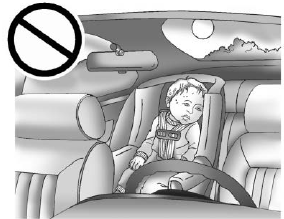
Never leave a child, a helpless adult, or a pet alone in a vehicle, especially with the windows closed in warm or hot weather. They can be overcome by the extreme heat and suffer permanent injuries or even death from heat stroke.

Copyright © 2026 www.chsilverado.com